
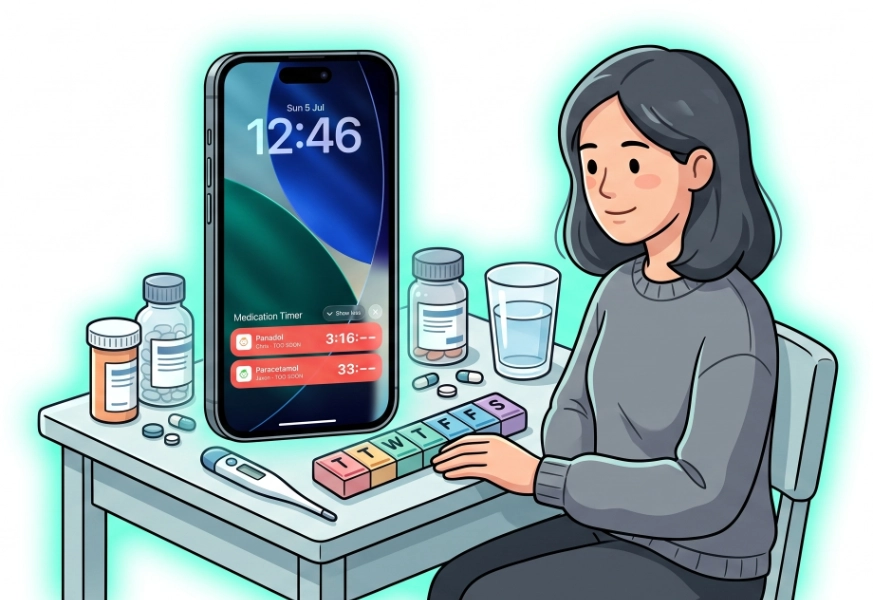
ou should not have to unlock your phone and hunt through apps to answer: Can I give another dose yet? Medication Timer’s home screen widgets and lock screen glanceables keep as-needed countdowns and your household’s next urgent dose visible where you already look.
Home screen widgets
Add Medication Timer widgets from your phone’s widget gallery:
Next Up (medium size) — Shows the most urgent household dose across routines and active Care sessions. When something is due or overdue, tap Take or Snooze 10m without opening the app. Small size is display-only; tap to open Today.
Active Timers (medium size) — Shows running as-needed countdowns for PRN medications outside active Care windows. When timing rules allow (green phase), tap Log dose directly from the widget.
The same safety rules apply in widgets as in the app: you cannot bypass maximum doses in twenty-four hours or log a dose that is still too soon.
iOS lock screen and Live Activities
On iPhone, add a compact Active Timers lock screen widget for a live PRN countdown.
For a full-width banner and Dynamic Island countdown while a timer is waiting, turn on Native active timers in Medication Timer Settings. This uses iOS Live Activities — the timer stays visible until it is safe to dose again or you sign out.
Android lock screen and ongoing notification
On Android 12+, add Active Timers (Lock screen) from lock screen customization. You get a compact inline countdown; tap to open the app.
While a timer is in the too-soon phase, Android also shows a persistent ongoing notification in your shade — medication name, member, live countdown, and Log dose when allowed. It dismisses automatically when no timer is waiting.
When widgets help most
- Middle-of-the-night fevers when you only need the countdown
- Multiple household members with different PRN medications
- Co-parent hand-offs — anyone signed into the household sees the same timers after sync
Widgets require you to be signed in on the device and running Medication Timer 2.5.2 or later for native widget support.
Availability
Free: Home screen widgets (Next Up, Active Timers), iOS lock screen widget, Live Activities (optional in Settings), Android lock screen widget and ongoing notification.
Try widgets today
Long-press your home or lock screen → add widget → Medication Timer. Start an as-needed timer or open Today to see Next Up populate.






