
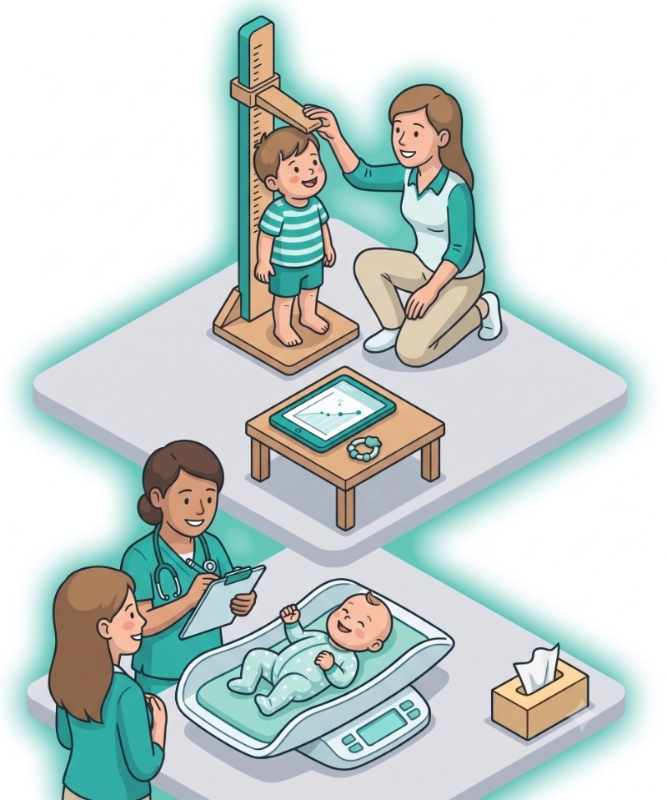
The six-week check. The school health form. The question after a bout of illness: are they back on their curve? For adults, the questions are different but familiar: weight creeping up, height unchanged for years, and a BMI band you want to watch without opening a separate app.
Medication Timer 2.5.0 adds Growth & Development for children and Body metrics for every family member. Log weight, height, and head circumference in the same place you already track medications, temperatures, and vitals. See percentile curves for children, BMI trends for adults, and optional reminders so measurements do not depend on remembering the GP visit date.
Growth charts and body-metric trends sit alongside the rest of your household health record, not in a spreadsheet or on the back of a blue book.
When measurements matter
Everyday medication tools suit routines you keep for months or years. Growth and body metrics are for the longer view: how someone is changing over weeks, months, and years, and what you might want to discuss at the next appointment.
Parents and caregivers often need answers like:
- Was last month’s weight on track, or did we miss logging after that stomach bug?
- How does today’s height compare with the WHO curve for their age?
- Should we be watching head circumference while they are still little?
- For a teenager, is BMI-for-age moving in a direction worth mentioning to the GP?
- For yourself or another adult, where does current BMI sit against a healthy range, and how has it shifted since January?
Medication Timer keeps those readings in one family app, with charts when you subscribe to Family Care, so you are not reconstructing a growth story from clinic printouts and fridge notes.
Growth & Development for children
Growth & Development tracks weight, height, and head circumference for family members 18 and under, and plots logged points against standard reference curves:
- WHO growth standards (0–2 years) for weight, length/height, and head circumference
- CDC charts (2–18 years) for weight and height percentiles
- CDC BMI-for-age (2–20 years) when weight and height are logged on the same day, or height within the last 90 days
- Head circumference on WHO curves through about age 3 (not on CDC 2–18y charts)
Each reading is placed using the member’s age at the date of the measurement, so a check-up logged late still lands on the right part of the curve.
What you need on the profile
- Birth date. Age at each reading drives the percentile calculation.
- Sex. Set on the member profile, or inferred from Son/Daughter relationship.
Without a birth date, growth charts cannot compute percentiles accurately. Add or confirm these details when you set up a child, or before your first growth log.
Charts at a glance
Open Growth & Development from a family member card for children, or for anyone who has growth readings logged at age 18 or younger. Switch between weight, height, head circumference, and BMI tabs when the data supports them.
The chart shows reference percentile bands and your logged points over time. Tap a point to see the value and date. Review the reading list below the chart, add historical entries, or remove a mistaken log.
Charts are informational only. They are not medical advice. Percentiles describe how a measurement compares with population reference data; they do not diagnose growth concerns on their own. Discuss trends with your pediatrician, child health nurse, or GP.
Body metrics for the whole household
Body metrics tracks weight, height, and BMI over time for any family member: children, parents, grandparents, and everyone else in your household.
- Adults see BMI with standard healthy-range bands when weight and height can be paired on the same day (or height within 90 days). Adult BMI does not use pediatric percentile curves.
- Children who need WHO or CDC growth percentiles should use Growth & Development instead; Body metrics is the right home for adult-style BMI trends and household weight tracking.
- Open Body metrics from the family member card for trend charts and a clear snapshot of the latest values.
If you already log weight and height as health readings, Body metrics turns that history into a chart without re-entering old clinic visits.
Where to log readings
You can add measurements wherever fits your routine:
- Family → Growth & Development: primary place to add growth readings for children (any historical date).
- Family → Body metrics: trends and charts for weight, height, and BMI for any member.
- Family → Health readings: for members 18 and under, weight, height, and head circumference appear here with the growth sprout icon so you can set optional reminders. Adults can log weight and height here too.
- Today: a growth or body-metric row appears only when that measurement is due from a reminder schedule or already logged (or skipped) on the day you are viewing. Tap the sprout or scale icon beside Readings to reveal weight, height, and head circumference (when applicable) and log from Today without cluttering the panel on quiet days.
Empty “Tap to log” rows for growth and body metrics do not appear on Today unless you expand Readings or the type is scheduled or already recorded that day. That keeps Today focused on what is due, not a wall of empty placeholders.
Reminders, reports, and sharing
Set a reminder interval under Health readings when you want a nudge to re-weigh or re-measure. That helps after an illness, during a growth spurt, or when an adult is tracking weight over time.
With Family Care, growth and body-metric data goes further:
- Family reports include growth readings and body-metric summaries for the report period. Useful before a well-child visit, a dietitian appointment, or when a co-parent needs the same picture you have.
- Shared coordination means another caregiver in the household sees the same logged readings and charts, without a separate notebook acting as your medical record.
Export or share a report when you want a precise log instead of “I think they were about twelve kilos in March.”
What Growth & Development and Body metrics are for
Use Growth & Development for infants, toddlers, children, and teens: weight, height, head circumference, and BMI-for-age percentiles on standard WHO and CDC curves.
Use Body metrics for adult BMI trends and household weight tracking when pediatric percentiles no longer apply, or for any member where a simple weight-and-height history is enough.
Use everyday health readings for INR, blood pressure, temperature, glucose, and the rest of the vitals Medication Timer already supports. Growth and body metrics extend that same record. They do not replace clinical measurements taken at a surgery or hospital.
Medication Timer does not replace your clinician’s advice. It helps you keep an accurate log and spot patterns worth discussing at the next appointment.
Availability
Family Care: Growth & Development charts (WHO and CDC percentiles), Body metrics trends and BMI bands, chart summaries in family reports, optional reminder schedules for weight, height, and head circumference, and shared access for coordinated caregivers.
Free: Add family members with birth dates, log health readings within the app’s usual household limits, and use Today for scheduled or same-day entries. Percentile charts, Body metrics trend views, and growth summaries in family reports require Family Care.
Pricing varies by region. See the app or web subscription screen for your store.
Try Growth & Development and Body metrics
Open Family in Medication Timer on iOS, Android, or the web app. Choose a family member, confirm their birth date and sex for children, and tap Growth & Development or Body metrics to log your first reading and open the chart.
You can backfill clinic visits from earlier dates. You do not need to start on the day of the appointment.
Medication Timer is not medical advice, diagnosis, or treatment. Growth percentiles and BMI bands are reference tools only. Seek professional care for growth concerns, unexplained weight change, or any symptoms that worry you; follow your clinician’s directions for monitoring and follow-up.
Questions? Browse the help centre or contact support from Profile in the app.






