
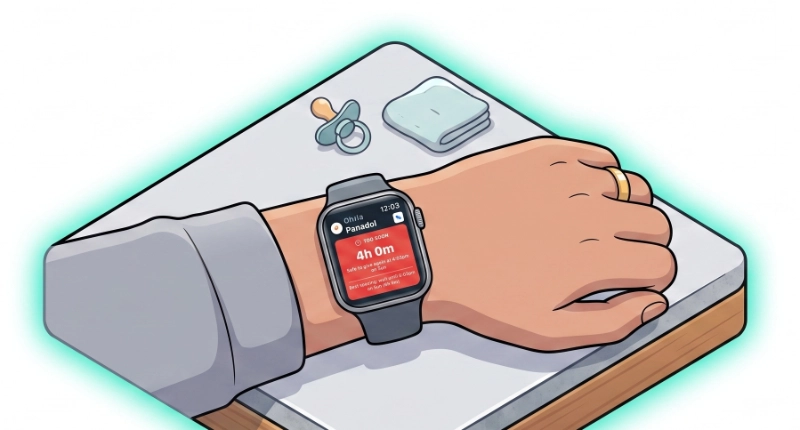
When your hands are full — thermometer in one, child in the other — glancing at your wrist beats unlocking your phone. Medication Timer’s Apple Watch companion puts Today progress, the next scheduled dose, active Care, PRN timers, and notification actions on your watch.
The watch does not sign in to your account on its own. Your iPhone stays the authenticated client; the watch shows a snapshot synced over WatchConnectivity and relays actions back to the phone for Firestore writes.
What you see on your wrist
- Today progress — Segmented bars per family member for the anchor day
- Next scheduled dose — All medications in the current routine slot, with Take and Snooze 10m
- Active Care — One card per care session: course next-up, session PRN timers, Add temp when fever tracking is on
- Active timers — Household PRN timers outside Care windows
- Quick timers — Preset chips for saved member-and-medication pairs (Family Care)
Family and medication setup stays on the iPhone — the watch is for glanceable state and quick logging.
Actions from the watch and notifications
Watch buttons use the same write paths as in-app and notification actions: routine Take / Snooze, timer Log dose, Care course doses, care temperature logging, and care notes (via Siri hint on the Care card).
iPhone local notifications forward to the watch when the companion is installed. Taken, Snooze, and Re-administer on your wrist relay to the phone — keep Bluetooth enabled and the iPhone app installed.
If the phone is briefly unreachable, actions queue and flush when it reconnects.
Experimental — what to expect
This is an early release. Keep your iPhone nearby, signed in, and updated. Complex edits, new medications, and subscription management remain phone-only.
Test on a physical Apple Watch; the simulator may not reflect real sync timing.
Availability
Free: Watch companion app, Today progress, next dose, active Care and PRN surfaces, notification action relay.
Family Care: Quick timer preset chips on the watch.
Requires iOS with Medication Timer installed on the paired iPhone.
Try the Watch app
Install Medication Timer on iPhone, open the Watch app on your phone, and enable Medication Timer for your watch face. Sign in on iPhone, then open the watch app to see your household snapshot.






