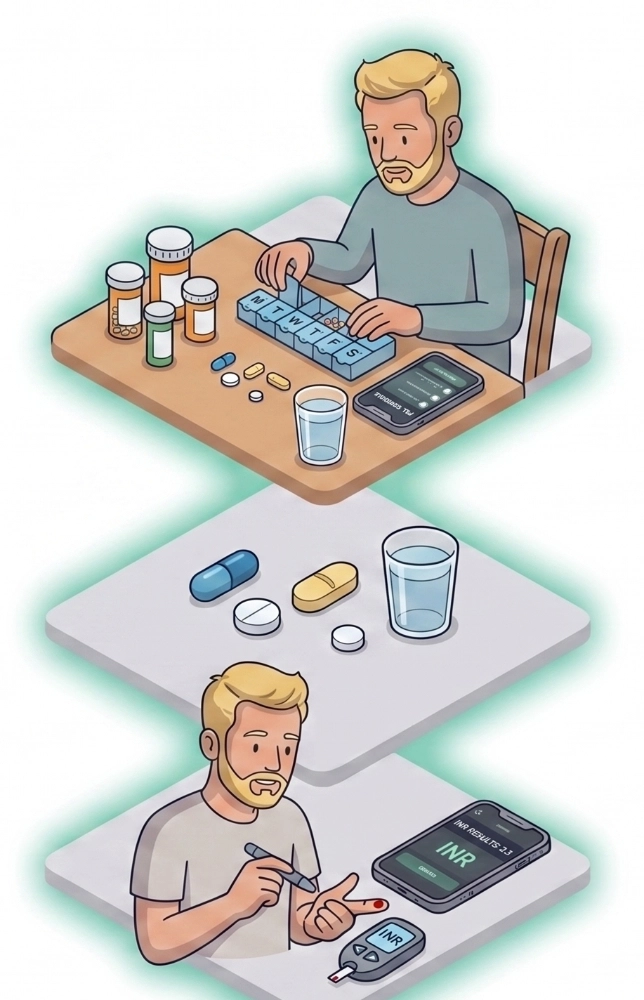
Warfarin management and daily medication routines for those dealing with post-operative heart surgery care
This guide will talk through how I have used Medication Timer to monitor and keep on top of my medications and INR test readings since having my open heart surgery. We will talk about medication dosage routines, health reading setups and usage with step by step instructions for anybody going through similar.
Undergoing open-heart surgery is a life-altering milestone. While the operation itself is a massive hurdle, the journey doesn't end when you leave the operating room. For many of us, recovery introduces a new, highly structured daily routine, particularly when it comes to blood thinners.
Learning how to balance managing warfarin dosages while tracking supportive heart medications can feel like a lot to handle. To keep my health on track and my stress levels low, I obviously rely heavily on Medication Timer. Here is a look at my post-surgery routine, why INR stability can be so elusive, and how I use technology to keep it all under control.
My Daily & Weekly Health Routine
Warfarin isn't a medication you can just set and forget. Its effectiveness depends entirely on consistency and precise adjustments. To manage this, I’ve split my day into a predictable routine.
1. The Morning Routine (8:00 AM)
Every morning starts with checking my blood pressure and taking my supportive cardiac medications. These drugs work together to protect my heart while it heals:
Bisoprolol: A beta-blocker to manage heart rate and blood pressure.
Perindopril: An ACE inhibitor to lower blood pressure and reduce strain on the heart.
Spironolactone: Helps prevent the body from absorbing too much salt and keeps potassium levels stable.
2. The Evening Routine (6:00 PM)
Evening is when I take my Warfarin. I chose 6:00 PM because taking it at the same time every night is crucial for maintaining stable blood levels. Because Warfarin dosages fluctuate based on regular blood tests, I don't just log that I took it. I log the exact milligram (mg) dosage administered that night.
3. The Weekly Check-In
Every one to two weeks, I get my blood drawn or use a home-monitoring device to check my INR (International Normalized Ratio). This number measures how fast my blood clots. I immediately log this value into Medication Timer to see if I’m staying within my safe zone.
The Ultimate Balancing Act: Why INR Fluctuates
If you are new to managing warfarin dosages, you quickly learn that your INR baseline is incredibly sensitive. It is entirely normal for your numbers to shift, which is why close tracking is essential.
Some of the most common reasons for an unstable INR include:
Dietary Changes: Foods high in Vitamin K (like spinach, kale, and broccoli) work against Warfarin. You don't have to avoid them entirely, but your intake needs to remain consistent.
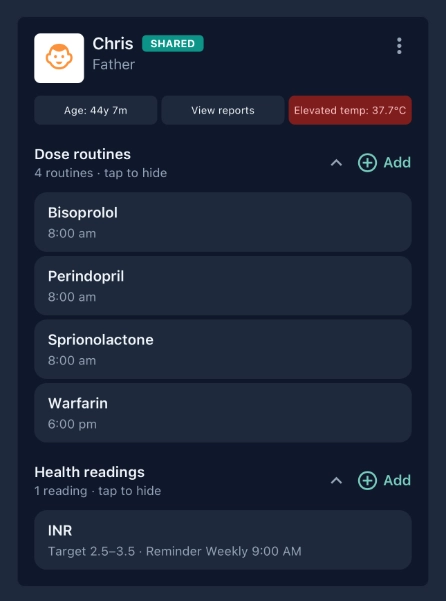
Sickness and Fevers: Being unwell changes how your body metabolizes medication. Even a mild fever (such as a body temperature of 37.7°C, which you can see flagged in my app screenshot) can cause your INR to spike or drop unexpectedly.
Other Medications: Introducing a new antibiotic, over-the-counter painkiller, or supplement can dramatically alter how your body processes Warfarin.
Alcohol Consumption: I don't personally drink very often but on the rare occasions that I do alcohol can change the rate at which your liver breaks down the medication.
Why Historical Data Matters: When your INR acts up, having a clear log is essential. During conversations with my doctor, I don’t have to rely on memory. I can open my app and give them an exact timeline of my previous weeks of readings and corresponding warfarin doses. Further, I can generate a health report that will show other contributing factors, such as antibiotics, or a cold/flu that lead to fever. This removes the guesswork and helps us adjust my protocol safely.
Step-by-Step: Setting Up Medication Timer for Warfarin Success
I'm happy to share my own Medication Timer setup with anybody who may benefit from it. Here is a basic outline of how to configure the app to match my setup:
Download the app and signup
Visit the downloads page or just click on the app store buttons below to download the app
Once you have the you register using your email address and set a password
You will be taken through the "Family Setup" where you will add your household members. It will take you a couple of minutes and get you familiar with the app features.
Once that is all done, you're ready to get more specific on your own medication requirements and routines!
Add your regular daily medications (not Warfarin yet!)
Click on the "medications" icon
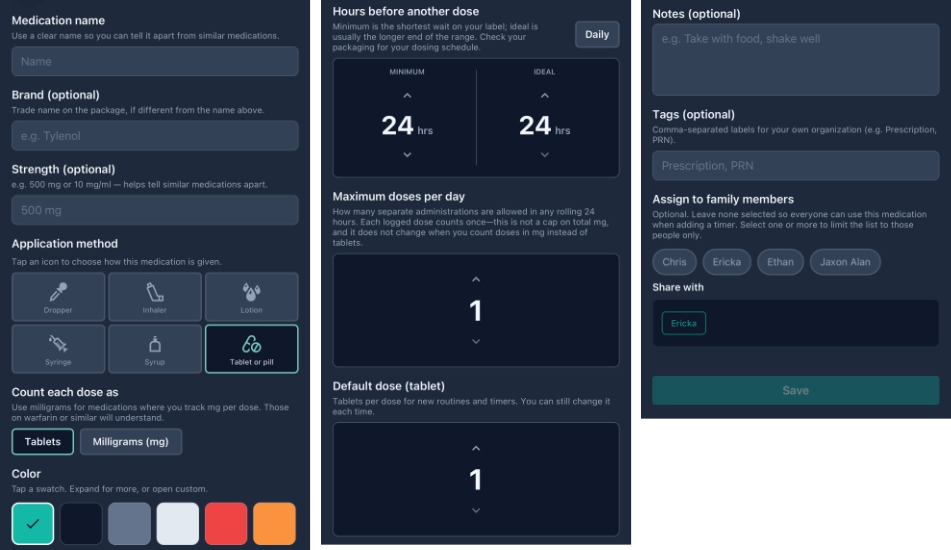
Click the + icon to add a new medication and enter the important information. I like to assign colors to the medication that matches the packet/bottle.
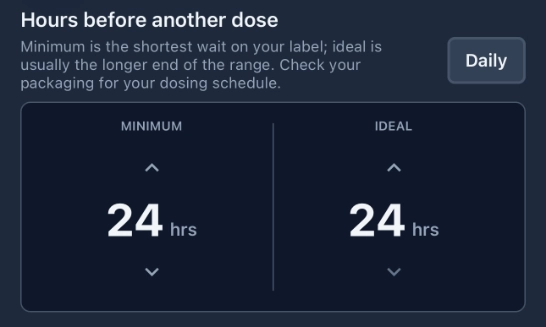
Press the "Daily" button if it's a daily medication to set the values automatically
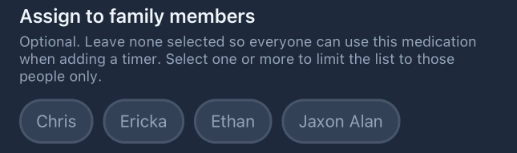
Assign the medication to yourself (unless somebody else in the family also needs to take the same medication)
Click Save and repeat this process for all of your medications
Add your Warfarin medication record
Warfarin is slightly different because it is a variable dose based on your INR and feedback from your Doctor
While still in the medications view, click the + icon to add another medication
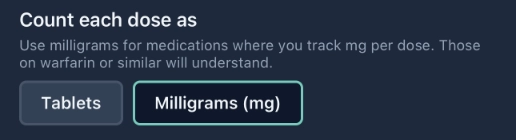
In the section that says "Count each dose as"; choose "Milligrams (mg)" - this is going to tell the app to prompt you for the dosage taken each time. Other medications will not do this because they are set doses.
Press the "Daily" button if it's a daily medication to set the values automatically again
Assign the medication to yourself
Click Save
Setup your dose routines
Click on the "family" icon
Browse to your family record, or create it if needed
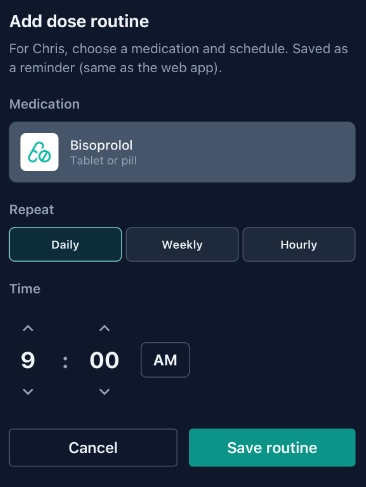
Click the + icon within your dose routines section
Select your medication, repeat settings and time
Click Save routine and repeat this for each of your routine medications, including Warfarin.
Setup your health readings for your INR values
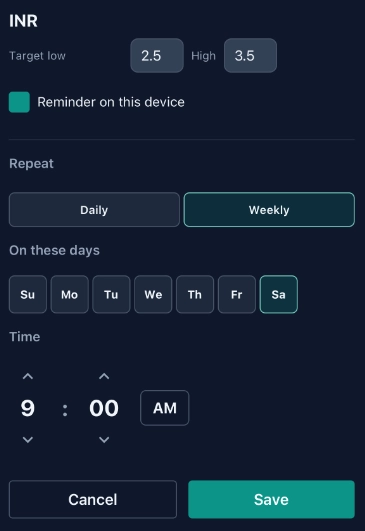
While still in the family record, click the + icon within your Health readings section
Select INR and set a target for low and high
Toggle on "Repeat on this device" and configure your INR schedule
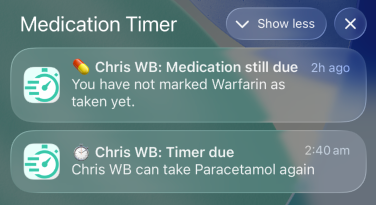
Based on the routines and schedules that you defined; you will receive notifications reminding you to take your medications or take your health readings
Click on the notification to open Medication Timer to the appropriate view (usually "Today")
Note: If you fail to take your medication within 30 minutes you will receive a second notification
Using the "Today" screen
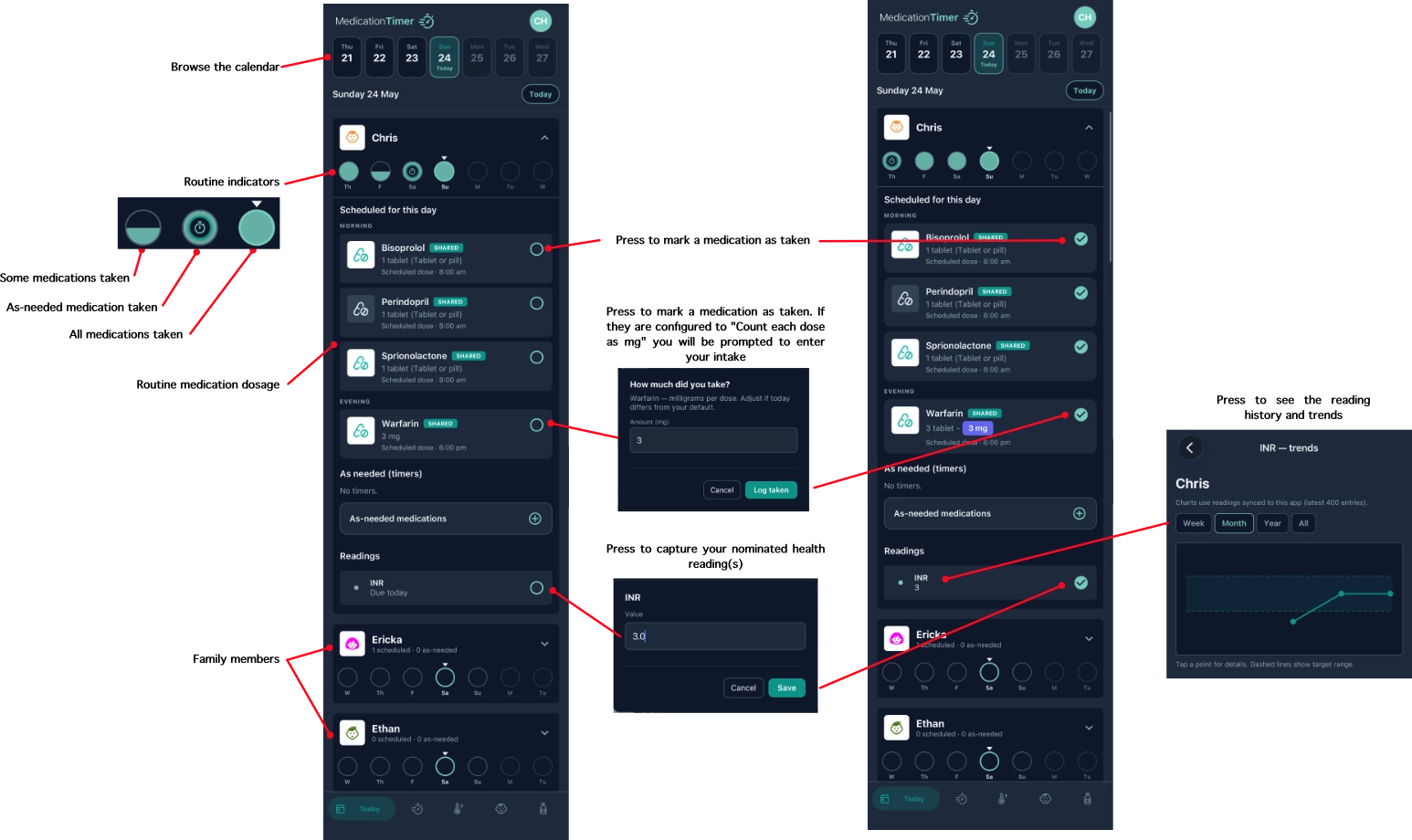
Your "today" screen is your daily hub for your medication routines and health readings.
Click on the Today icon (but it's also the default view when you open the app)
Review your daily routine progress
As you take your medications, mark them as taken. Regular medication, it's just a one press process, but for medications like Warfarin you will be prompted to enter the dosage.
"Today" Screen Quick Guide
Follow the below usage guide!
Click to zoom in
Managing life after open-heart surgery is a marathon, but with the right tools, it becomes entirely manageable. Taking control of your data means taking control of your recovery.
Ready for calmer sick days?
Free for unlimited family members. Set up in about ten minutes