Managing a Household Suffering with Flu
This guide will talk through how to use the Care feature of Medication Timer to manage a household feeling the effects of a flu or cold
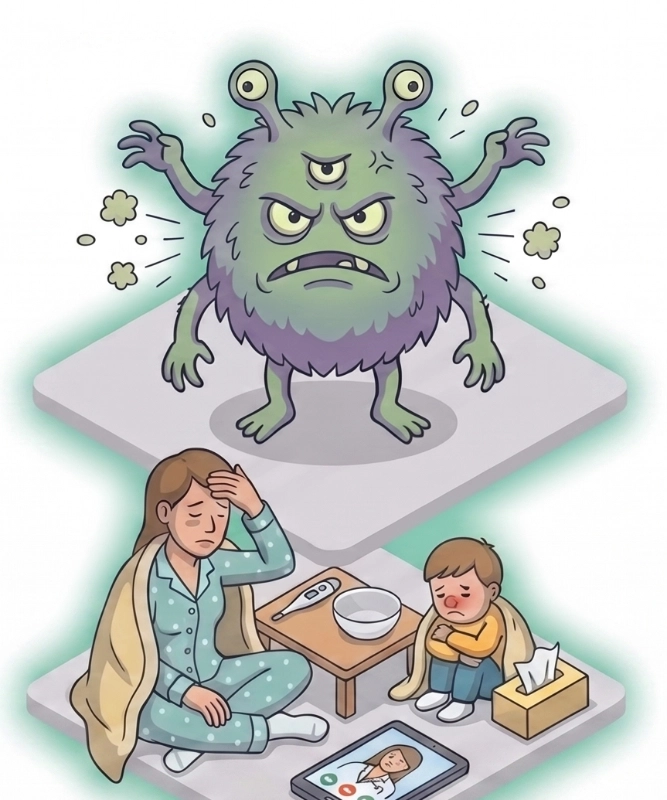
Flu monster
When the flu strikes your home, it rarely hits just one person. Within days, your peaceful household can transform into a chaotic makeshift infirmary. Keeping track of who needs what medication, when their last dose of paracetamol was administered, and how high their fever peaked can quickly become overwhelming.

When unexpected health situations strike and your family is suffering through a tough cold, flu, or infection, the Care feature brings order to the chaos. It unifies as-needed medication, temperature, and symptom tracking along with strict antibiotic schedules into a single, focused tracking session, giving you total clarity when you need it most.

Using a dedicated family medication tracker app ensures no doses are missed, no one is accidentally double-dosed, and your family gets on the fast track to recovery.

The Ultimate Family Medication Tracker App for Flu Management

Traditional pill reminders are built for daily, routine vitamins or long-term prescriptions. Acute illnesses like influenza require a specialized approach. The Care feature inside Medication Timer is custom-designed for these exact high-stress, short-duration health events.
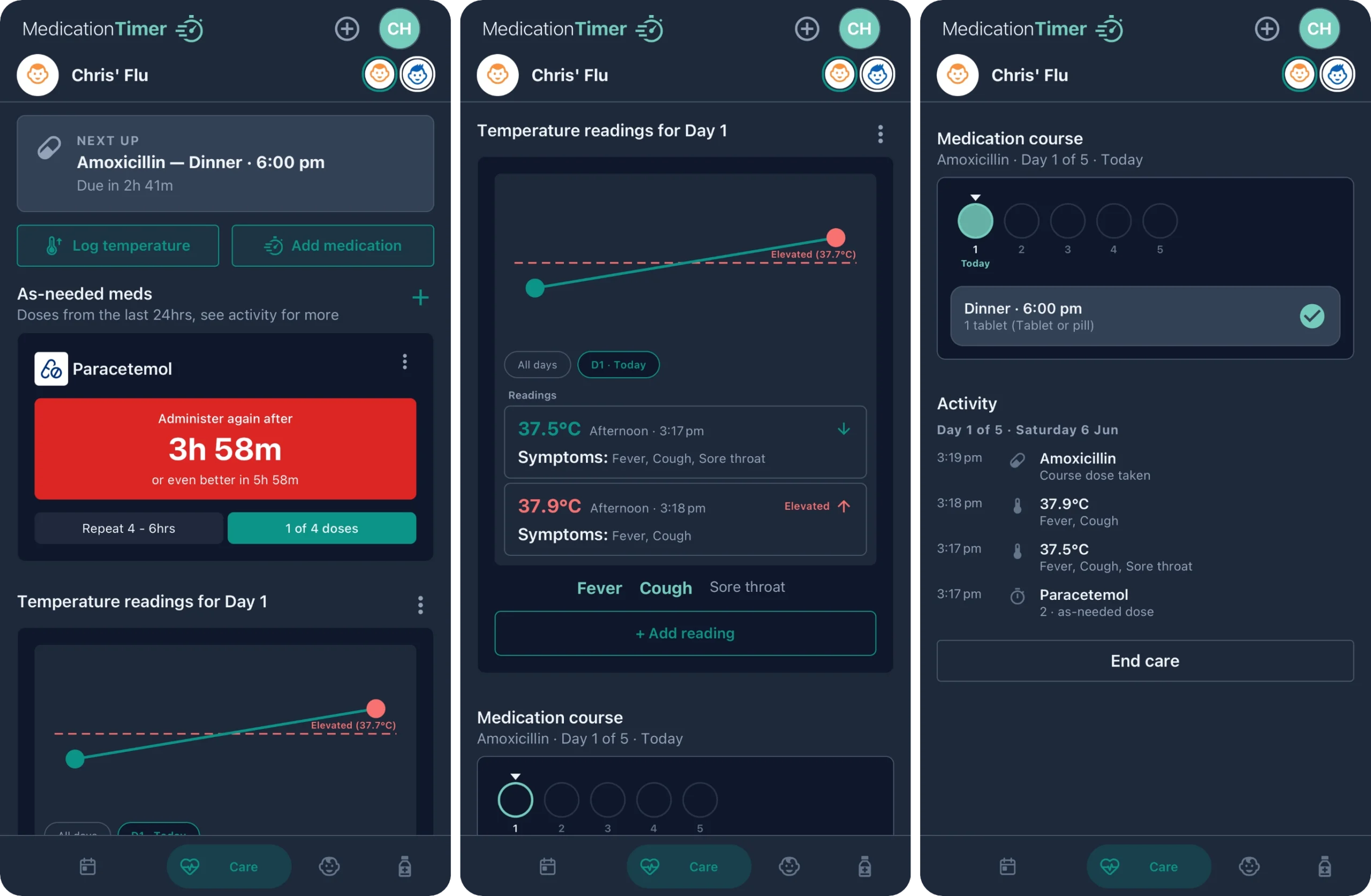
Care screens
Here is how our family-enhanced tools help you navigate a household flu outbreak:
Focused Illness Sessions: Track acute episodes like the flu or a cold from the first symptom until they are back on their feet.
Short-Course Med Schedules: Stay on top of strict timelines for critical antibiotics and temporary, as-needed doses.
Correlated Symptom & Fever Timelines: Directly see how temperature readings and symptoms respond to medication over time.
Clear Recovery Tracking: Keep a dedicated, clean timeline that neatly closes out once your family member is feeling better.

Step-by-Step: Managing the Flu with the Care Feature

I'm happy to share my own Medication Timer setup with anybody who may benefit from it. Here is a basic outline of how to configure the app to match my setup:

Download the app and signup

Visit the downloads page or just click on the app store buttons below to download the app
Once you have the you register using your email address and set a password
You will be taken through the "Family Setup" where you will add your household members. It will take you a couple of minutes and get you familiar with the app features.
Once that is all done, you're ready to get more specific on your own medication requirements and routines!

Initialize a Focused Illness Session

As soon as the first family member exhibits a sore throat, chills, or a fever, open your family medication tracker app and spin up a dedicated Care Session tailored to them, such as "Chris' Flu." This separates their acute sickness logging from any standard daily vitamin routines.
Click on the "Care" icon
Nav menu
Click the + icon to add a new care session
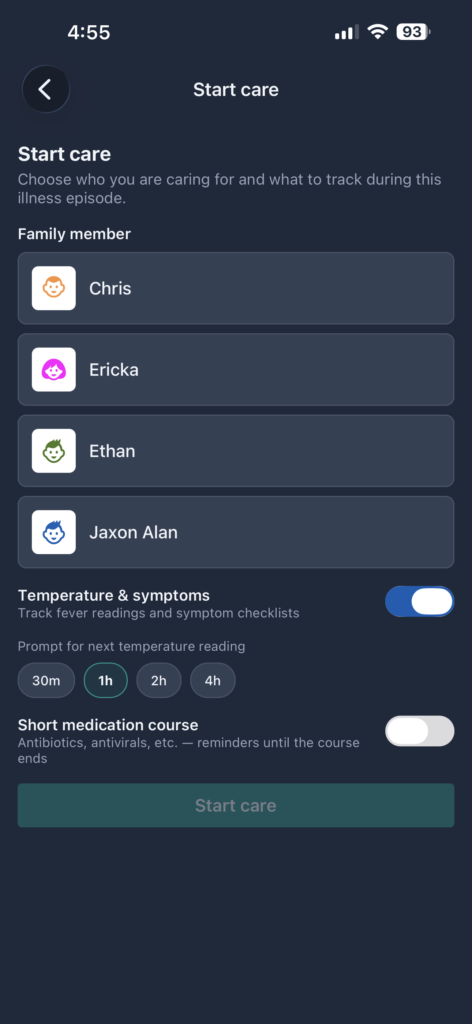
IMG
Select the affected family member, choose if you would like to be tracking temperatures & symptoms (and the frequency) and whether you have a short medication course (antibiotics). This can be added later. 
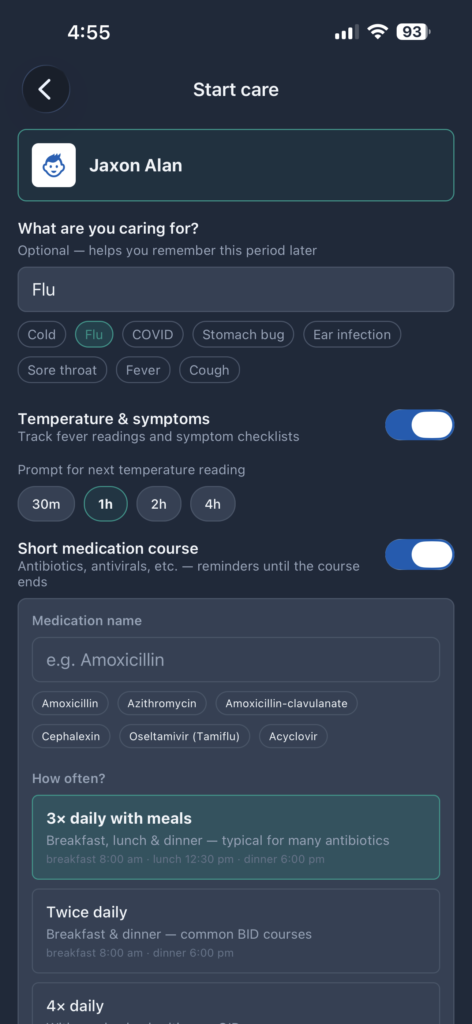
IMG
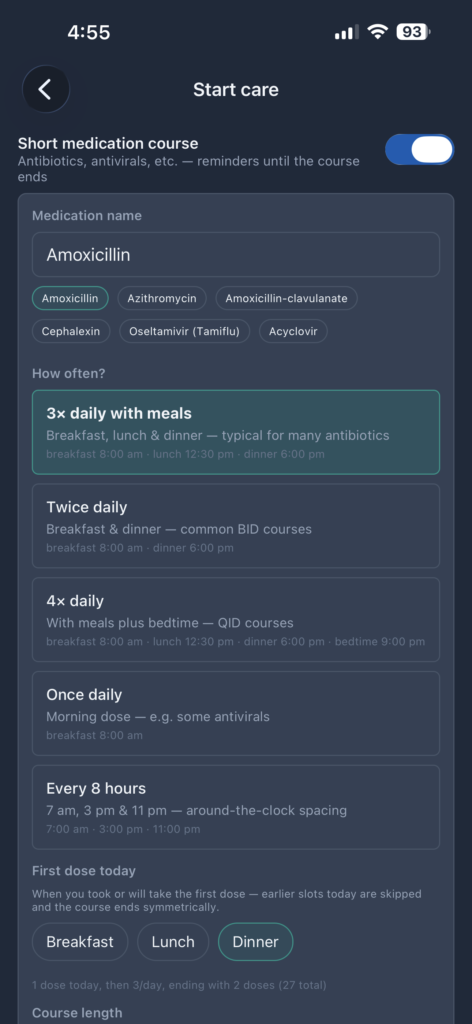
If you have opted to attach a short medication course, you can select one of the preset values which will also set the frequency. You can customise those things as needed too. You can also set the first dose and course length
IMG
Click Save and your care session is setup and ready to go.

Track your medications, temperatures & symptoms 

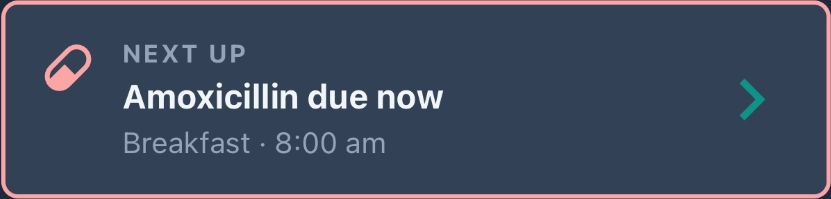
You can monitor what is "next up" for the care session and action things directly from there. This will include; medications (as-needed and due short-course medications) and temperatures.
Care nextup
You will be prompted to log any immediate short-course medications and your first temperature reading (if you opted to track temperatures of course).
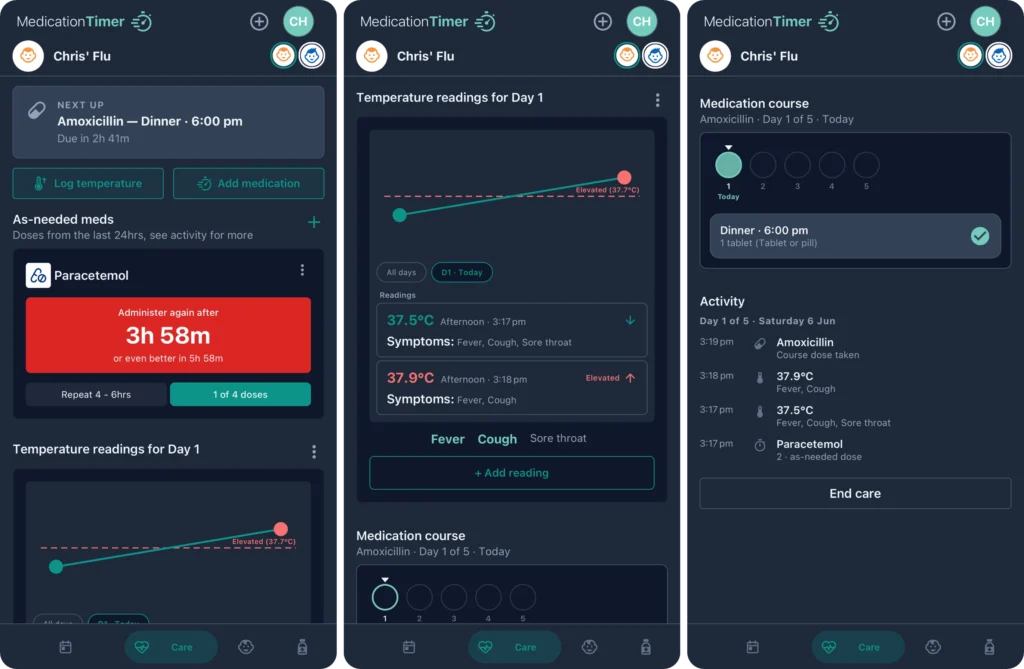
Care screens
From that point until you "End care", you can view all of the captured health data; medications, timers, temperatures and symptoms. 

Why a Standard Reminder Isn't Enough for Flu Season

Feature NeedsStandard Medication RemindersMedication Timer (Care Feature)
Multi-Person TrackingConfusing or requires multiple accountsSeamlessly toggles between family members
As-Needed (PRN) TimersHard to track exact safety windowsDynamic countdowns showing when it's safe to dose again
Symptom CorrelationNoneOverlays temperature spikes directly against medication times
Temporary CyclesMust be manually deleted laterCloses cleanly out using the "End Care" function
Medication timer logo dark 250w
2 Fisher Place,
Mawson lakes, SA, 5095
AUSTRALIA
Copyright © Chris Winfield-Blum trading as Medication Timer
Supporting families and their health
envelopemap-markermagnifier