
Family Care
Medical reports to share with your doctor
When you’re at the doctor’s office, “I think they had a fever on Tuesday” isn’t as helpful as a precise data log. This feature transforms your daily tracking into comprehensive health reports that map out everything from routine medication adherence, showing exactly what was taken versus what was missed, to as-needed doses and symptom flares. By consolidating vitals like temperature and blood pressure into clear summaries, you provide clinicians with a complete, accurate picture of your family’s health history.


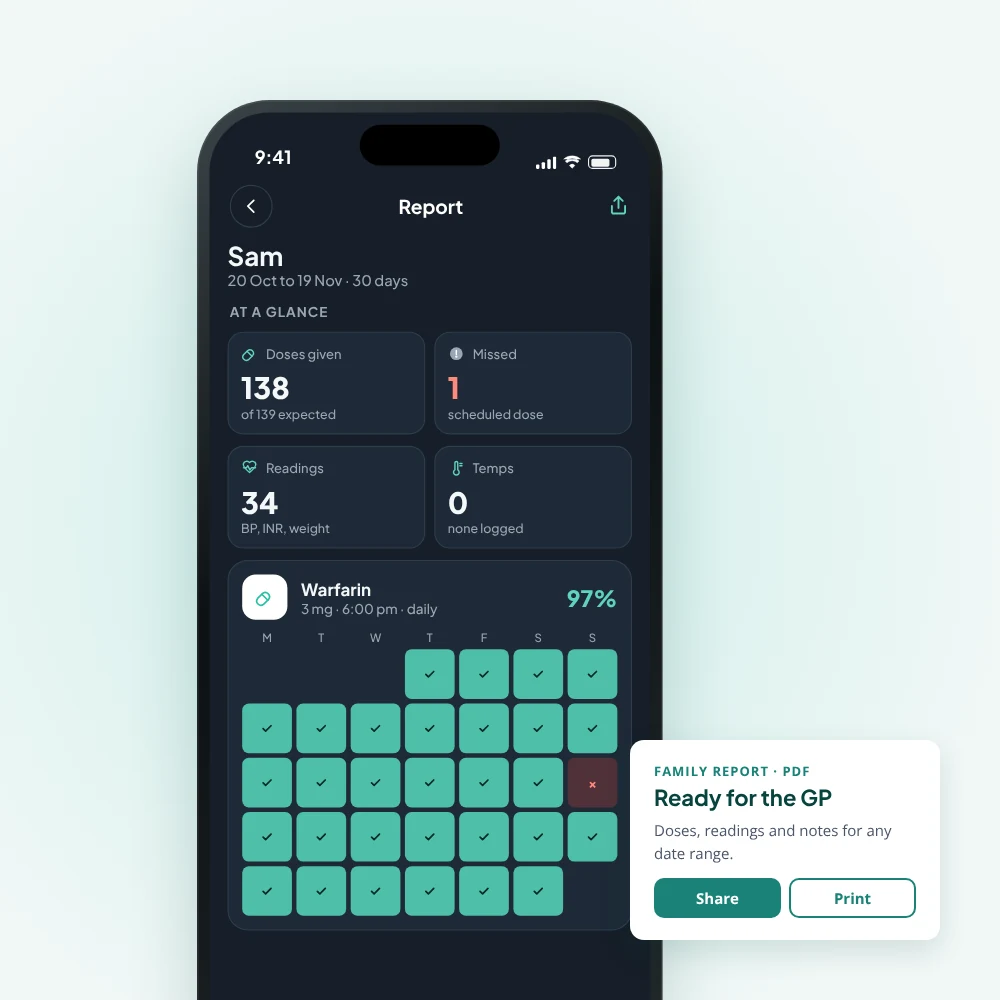
At the doctor’s office, I think they had a fever on Tuesday is less useful than a precise log. Family reports turn your household tracking into period summaries you can review before an appointment or share with another caregiver.
What a family report includes
For a specific family member and date range you choose, a report may consolidate:
- Scheduled dose routines — what was taken versus missed or skipped
- As-needed (PRN) doses — times and medications
- Temperature readings and symptoms
- Care session notes — GP advice, sleep, fluids, observations
- Health readings — INR, blood pressure, glucose, SpO₂, and similar vitals logged in the period
- Growth and body metrics summaries — when applicable
Reports are designed for care coordination and record-keeping, not diagnosis.
When families use reports
- Pediatrician visits after a multi-day fever
- Cardiology or anticoagulation clinics needing INR and dose history
- Hand-offs between co-parents or grandparents
- Your own review of adherence over a month
How to generate a report
Open Reports from navigation or profile (labels may vary by platform). Select the member, pick start and end dates, and generate. Open the report in-app; export or print options depend on platform — see in-app help for sharing links or PDF where available.
Generating full in-app reports requires Family Care (or sponsored entitlement with the same access).
Accuracy depends on logging
Reports reflect what was logged in Medication Timer — not what was intended. Consistent Taken, Log dose, and reading entries produce the most useful summaries.
Availability
Family Care: Family report generation, care notes in reports, growth summaries, unlimited history to define meaningful date ranges.
Free: Three calendar days of full Today detail for manual review; no generated multi-day reports.
Prepare for your next appointment
Log doses and readings as you go during the illness or treatment period. Before the visit, generate a report covering those dates and skim missed doses or fever peaks to discuss with your clinician.
Medication Timer doesn’t replace medical advice. Always confirm doses and care plans with your doctor or pharmacist.