
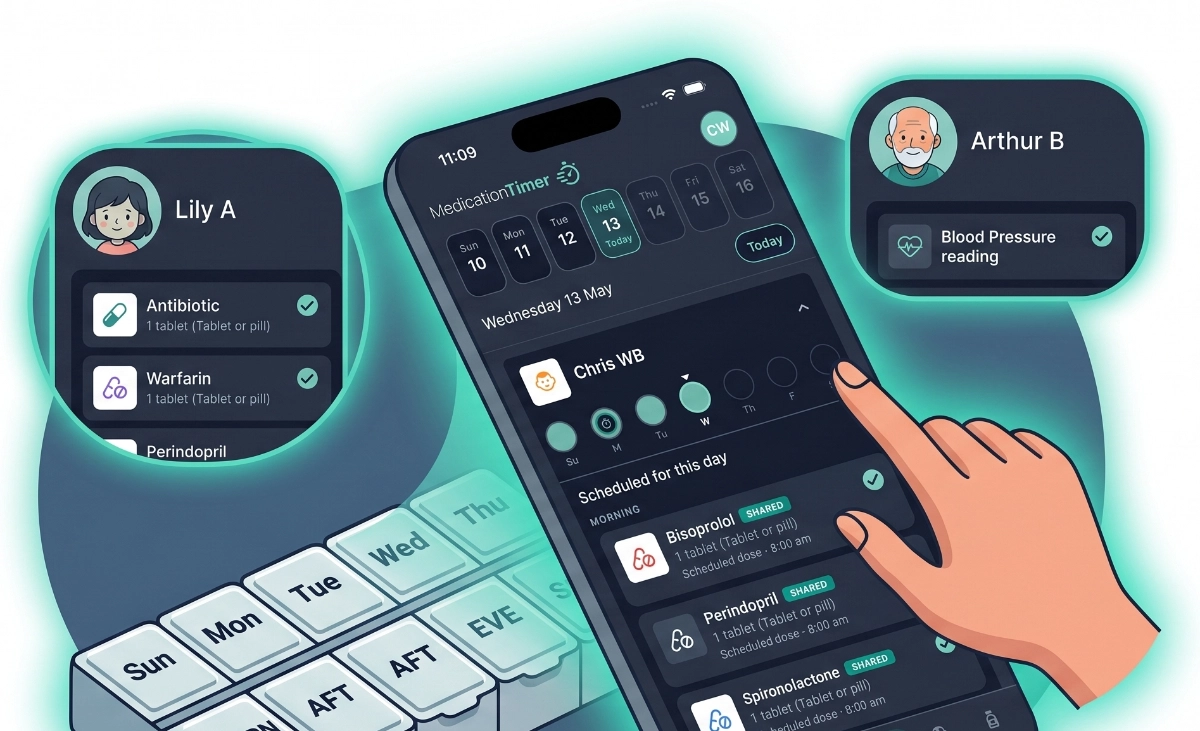
Daily tablets, weekly injections, warfarin with INR checks, or a child’s twice-daily antibiotic after discharge: scheduled dose routines keep recurring medications off sticky notes and in Today, beside everything else happening that day.
Routines can also fire After another medication is logged, and as-needed flows can stagger a second medicine you already space on purpose. Medication Timer does not invent a care plan; you bring the schedule from the label or advice you already follow.
Build routines that match real life
For each family member and medication, define when doses should occur. When you add or edit a routine under Family, choose:
- At a time: once daily, twice daily, three or four times daily, weekly patterns for specific weekdays, or hourly / custom intervals
- After another medication: pick an anchor routine for the same member and set an offset (for example 30 minutes after)
Clock routines appear on Today with clear taken, missed, or upcoming states. Mobile reminders fire at scheduled times with Taken and Snooze actions.
After another medication (relative routines)
Some care plans chain two medicines: take Medicine B a fixed gap after Medicine A, not at a fixed wall-clock time.
With After another medication:
- The offset starts when the anchor dose is actually logged, not when it was scheduled
- Until the anchor is taken, the dependent shows as waiting on Today
- If the anchor is skipped or never logged for that occurrence, no follow-up is created
- Shared caregivers see the same follow-up after sync
Each medicine still keeps its own spacing and maximum-dose rules. Relative scheduling uses the same shared follow-up model as as-needed stagger, so co-parents stay aligned.
Stagger as-needed medicines you already space
Fever nights often mean two as-needed medicines on a schedule you already follow: one now, another a few hours later.
When you Add timer (from Care, Timers, or as-needed flows):
- Log the medicine you just gave, as usual
- Optionally turn on Also stagger another medication
- Choose the second medication, dosage, and Stagger duration
- Review Next suggested, then save
Saving logs only the administered medicine. The app creates a synced stagger follow-up for the second (a pending suggestion, not a taken dose). Completing it logs the second medicine; skipping does not invent a dose.
With Family Care, you can Save as quick timer after configuring a stagger so the member, both medicines, and duration are ready next time. Relaunching still asks you to review before anything is logged.
For day-to-day PRN spacing rules (minimum hours and 24-hour limits), see As-needed medication tracking.
Today shows the whole day
Today is the hub: routines for every member, plus PRN timers, stagger follow-ups, readings, and Care banners when relevant. Move the date strip to review adherence yesterday or prepare for tomorrow.
Family Care unlocks unlimited calendar history on the strip. Free accounts see full detail for the last three calendar days; older days prompt to subscribe for full history.
Multiple members, multiple schedules
Track parents on blood pressure meds, children on short post-illness courses (via Care courses), and grandparents on warfarin, each with their own routines and reading reminders, without separate apps per person.
Free plan note: each member has up to three combined routine + enabled reading slots; twelve household-wide. Upgrade to Family Care for unlimited routines and readings per household.
Separate long-term routines from short courses
Everyday dose routines suit chronic and maintenance medications. Short antibiotic or antiviral courses during illness belong in Care (Family Care) so a ten-day script does not permanently alter long-term scheduling. See Care for sick days.
Notifications that respect your day
Reminders schedule locally on iPhone and Android. They open Today or accept Taken / Snooze from the lock screen. Stagger and relative follow-ups can remind when due after sync. They are not a substitute for professional advice: always follow your clinician’s and pharmacist’s directions.
Availability
Free: Clock-based and After another medication dose routines within per-member and household slot limits; opt-in as-needed stagger on Add timer; Today integration; mobile reminders.
Family Care: Unlimited routines and enabled readings, unlimited Today history, shared caregiver coordination, family reports, and saving staggered setups as quick timers.
Pricing varies by region. See the app or web subscription screen for your store.
Create your first routine
- Open Family, select a member, and add or edit a medication’s routine.
- Choose At a time for a clock schedule, or After another medication to trail an anchor dose.
- Open Today to see the day’s schedule and enable notifications when prompted.
- For an acute pair you already stagger, start Add timer, turn on Also stagger another medication, and review Next suggested before saving.
Medication Timer is not medical advice, diagnosis, or treatment. Seek professional care if someone is unwell or symptoms worsen; follow your clinician’s and pharmacist’s directions for doses and course length.







