
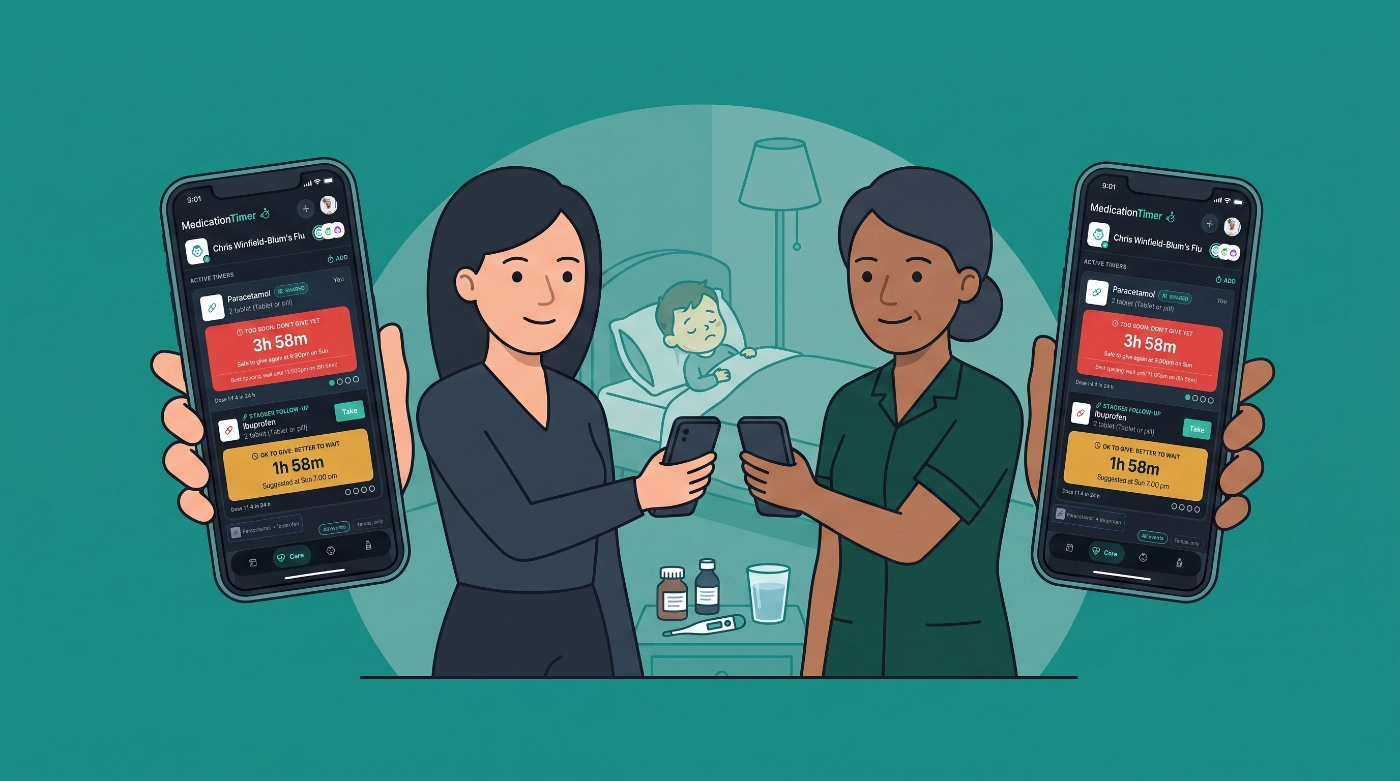
Managing medications across a busy household is harder than it sounds. You're tracking who took what, when the next dose is due, and whether anyone is close to a daily limit. Miss a dose and someone stays uncomfortable longer than they need to. Dose too soon and you've got a real safety concern. The iPhone in your pocket can help with both, but the right setup depends on what you're actually trying to manage.
This guide covers the built-in iPhone tools that work for simple reminders, where they fall short, and which third-party options fill those gaps in 2026.
Medication Timer is available on iOS, Android, and the web app. Competitor features and plans change; confirm current details in each store listing.
What the iPhone offers out of the box
Apple has steadily added health and reminder features over the years. For basic medication reminders, a few native tools are worth knowing.
The Health app's Medications feature
Apple's Health app includes a Medications section where you can log prescriptions, set daily reminders, and track whether a dose has been taken. It syncs across Apple devices and can share a medication list with emergency contacts through Medical ID.
For straightforward needs (a daily pill at the same time each morning, logged for personal records) it works well. The reminders are reliable, the interface is clean, and it's already on your phone.
The limits show up quickly, though. It isn't designed for as-needed medications with variable timing, it doesn't calculate dosing intervals, and it doesn't support multiple family members from a single account. If you're managing a child's fever at 2 a.m. and need to know whether enough time has passed since the last dose, the Health app won't do that math for you.
Reminders and alarms
Some people use the built-in Reminders app or Clock alarms as a workaround. Set a reminder for 8 a.m., mark it done, move on. For one person with a predictable routine, that's fine.
For families, it falls apart fast. There's no shared log, no dosing interval logic, and no way to know whether your co-parent already gave the evening dose before you got home. You're back to texting each other, which is exactly the kind of friction that leads to mix-ups.
Where built-in tools fall short in 2026
The gap isn't in notification delivery. iPhones are excellent at sending alerts. The gap is in the layer of logic that sits underneath a genuinely useful medication tracking system:
- Dosing interval tracking. Knowing a dose was given is different from knowing whether the next one is due.
- Daily limit visibility. Some medications have 24-hour maximums that require running totals, not just timestamps.
- Multi-person household management. One phone, multiple family members, different medications and schedules.
- Real-time co-caregiver access. Two parents, a grandparent, a babysitter: everyone needs to see the same current picture.
- Symptom and vital logging. During illness, temperature readings and symptom notes belong alongside the medication log, not scattered across text threads.
Native iPhone tools weren't built for this. Third-party apps were.
Third-party medication reminder options for iPhone
Apps built for individuals
Several apps focus on personal medication adherence. They're polished and useful for adults managing their own prescriptions.
Medisafe is one of the most established options, supporting complex schedules, drug interaction warnings, and refill reminders. It's designed primarily for the person taking the medication, not for a caregiver managing someone else's routine.
MyTherapy combines medication reminders with symptom tracking and health journaling, making it a good fit for people managing chronic conditions who want everything in one log.
Both are solid if you're an adult tracking your own regimen. Neither is built around the household caregiving scenario where one person is managing medications for several others.
Apps built for caregiving and families
Caring Village and CaringBridge are oriented toward coordinating care for aging parents or seriously ill family members. They include communication tools, task coordination, and care journaling: more caregiving platforms than medication-specific tools.
For households managing everyday family health (sick kids, as-needed medications, shared parenting logistics), a different kind of tool fits better.
Medication Timer: built for the household caregiving reality
Medication Timer is designed specifically for the scenario that built-in iPhone tools and individual-focused apps don't handle well: a household where multiple people need to be tracked, dosing intervals matter, and more than one caregiver needs real-time visibility.
You set up profiles for each family member. When someone receives a dose, you log it. The app calculates when the next dose is due and shows a live countdown. It tracks the running daily total so you're never doing that math in your head at midnight.
During illness, you can open a Care session and log temperatures and symptoms alongside medication entries. That timeline becomes genuinely useful when you're on the phone with a nurse line and need to describe how a fever has moved over the past several hours.
The shared access is where it earns its place in a family's routine. With Family Care, both parents see the same log in real time through Sharing & Access. A grandparent watching the kids can check the app before giving anything. A babysitter doesn't have to guess. Everyone is working from the same current information. Price for Family Care is shown in-store for your region.
It also handles daily medication routines alongside as-needed doses, so if someone in the household takes a scheduled medication each morning, that fits in the same place as the interval-based tracking. The whole picture stays in one app.
Medication Timer does not sync to Apple Health today. It is a household medication and care coordination app, not a personal health hub replacement.
How to choose the right setup for your household
The right tool depends on what you're actually trying to solve.
Use the iPhone Health app if: You're an adult managing your own daily prescriptions and want a clean, integrated log that ties into your Apple ecosystem.
Use a dedicated adherence app like Medisafe or MyTherapy if: You're managing a complex personal medication regimen and want features like drug interaction alerts or detailed health journaling.
Use Medication Timer if: You're managing medications for children or other family members, you deal with as-needed medications that require interval tracking, you share caregiving responsibilities with another adult, or you want symptoms and vitals in the same place as the medication log.
Most families end up needing the third option even when they start with the first.
A few practical tips for any setup
Whichever tool you use, a few habits make a real difference:
- Log immediately, not later. Memory of "when did we give that last dose" degrades fast, especially when you're tired and stressed.
- Set reminders to fire slightly early. A notification 10 minutes before a dose is due gives you time to prepare instead of scramble.
- Keep one source of truth. If two caregivers are each keeping their own notes, you'll eventually have conflicting information. Pick one place and use it consistently.
- Review the log before calling a nurse line or doctor. A timestamped record of doses, temperatures, and symptoms is far more useful than a rough estimate.
FAQs
Can I use the iPhone Health app to track medications for my child?
The Health app is tied to a single Apple ID and is designed for personal health tracking. It doesn't support separate profiles for multiple family members from one account, which makes it a poor fit for managing a child's medications.
What's the difference between a medication reminder and a medication timer?
A reminder tells you when a dose is coming up. A timer tracks when the last dose was given and shows when the next one is due. For as-needed medications with dosing intervals, the timer function is the more important of the two.
Is Medication Timer available on iPhone?
Yes. Medication Timer works on iPhone (and Android and the web app) and is built for shared household use, so multiple caregivers can access the same real-time log with Family Care.
How does Medication Timer handle daily dosing limits?
When you log doses, Medication Timer keeps a running count so you can see how many have been given and whether you're approaching the daily limit you set from the label or care plan. That removes the mental math that's easy to get wrong when you're tired or juggling multiple family members. Exact limits always belong on your package or prescription; the app does not invent dosing rules.
Can a babysitter or grandparent use Medication Timer?
With Family Care, invite trusted co-caregivers through Sharing & Access (Profile) so they can view and update the same household log after they accept. You can also send a shared report link for read-only viewing in the browser when someone only needs a summary. Treat invites and share codes like passwords: only send them to people who should see health information.
Do I need an Apple Watch for medication reminders on iPhone to work well?
No. Medication reminders work through standard iPhone notifications. An Apple Watch can surface those alerts on your wrist, which is convenient, but it isn't required. Medication Timer also has an early Apple Watch companion; keep your iPhone nearby and signed in if you try it.
What should I do if I'm unsure whether a dose is safe to give?
No app replaces professional medical guidance. If you have questions about whether a medication is appropriate, the right dose, or the timing, contact a pharmacist, nurse line, or your child's doctor. Medication Timer helps you track what has been given and when; dosing decisions should always follow the guidance of a healthcare provider.
Closing
The iPhone has real tools for medication reminders, and they're worth using when they fit the job. For most families managing everyday illness and shared caregiving, though, the built-in options stop short of what you actually need. A tool built around household tracking, dosing intervals, and real-time co-caregiver access covers the gaps that matter most.







