
It is 2:15 a.m. Your three-year-old wakes up crying, their forehead burning to the touch. You stumble into the kitchen, switch on a dim light, and reach for the paracetamol. As you wait for the syringe to fill, a fog of exhaustion rolls in, bringing a wave of anxious questions.
“When can I give paracetamol again?” “Did my partner give a dose before they went to bed, or was that just ibuprofen?” “What was their temperature reading three hours ago?”
If you look down at your phone, you likely already have Apple Health or Google Health pre-installed. These platforms are absolute marvels of modern engineering. They track your daily steps, compile your sleep trends, and aggregate data from your smartwatch with clean, sophisticated graphs.
Yet, in that critical 2:00 a.m. moment, a glaring gap becomes obvious: native smartphone platforms are built around the individual. They are personal repositories for a single health record, not tools designed for two sleep-deprived parents trying to safely co-manage a toddler’s acute fever.
While personal health dashboards serve an important purpose, managing a busy household requires a dedicated family medication app. This article explores what the platform giants do well, where they leave families behind, and why a purpose-built solution like Medication Timer changes the caregiving dynamic entirely.
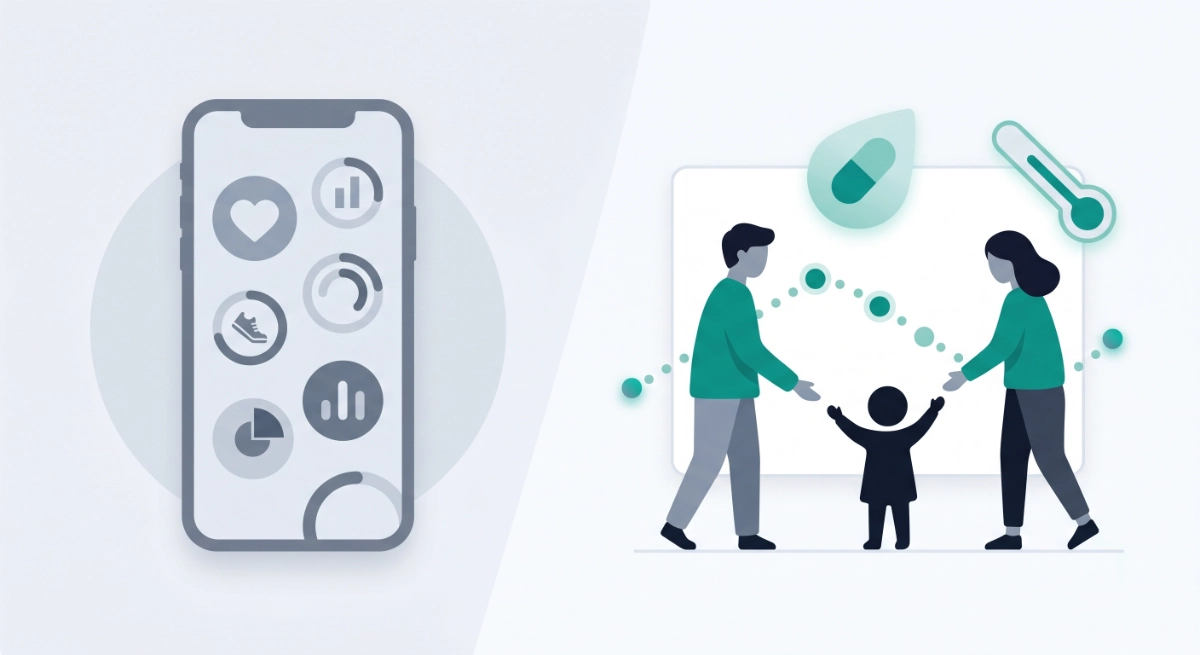
While native smartphone apps aggregate individual fitness and wearable data, a family medication app coordinates real-time dosing and fever tracking across multiple household members.
What Apple Health does well for one person
For an individual looking to build a comprehensive view of their own body, Apple Health is an exceptional tool. Operating natively on iOS and Apple Watch, it serves as a central health record that excels at gathering background data.
If you want to track your resting heart rate over six months, monitor your cardiovascular fitness, or see how your sleep architecture changes throughout the week, Apple Health handles it seamlessly. In certain regions, it can even hook directly into supported hospital systems to pull your official lab results and clinical records.
Apple Health also includes a dedicated Medications tab. It allows a single user to log what pills they take, set up recurring daily reminders, and learn about potential drug interactions.
However, its core design philosophy presents clear limitations for a busy caregiver:
- The Single-ID Barrier: The data is deeply tied to a single Apple ID model. It is designed to be private and personal.
- Friction in Sharing: While you can share health data with another Apple user, it is optimised for high-level health trends, not a live, fast-moving timeline of an acute illness episode.
- Lack of Specialized Workflows: The system is not built to handle complex as-needed (PRN) dosing intervals, or variable dosage (like Warfarin) or provide integrated symptom checklists alongside pediatric temperature logs.
What Google Health / Health Connect does well for one person
On the Android ecosystem, Google Health and the Health Connect framework serve a very similar, individual-centric purpose. Health Connect acts as a secure, on-device bridge that allows different fitness and wellness apps to talk to one another.
If you use a specific smart scale, a third-party running app, and an Android-compatible wearable, Health Connect ensures all your steps, weight entries, and metabolic data sit in one centralized place. It is highly effective for building long-term personal health trends and keeping an eye on your baseline fitness metrics.
Depending on your specific Android device and regional settings, you may also have access to basic medication logging features. But just like its iOS counterpart, Google's ecosystem faces the same structural limitation: it does not focus on multi-caregiver, multi-member medication episode management.
When a grandparent, a babysitter, or a co-parent steps in to help watch a sick child, they cannot easily open a shared, real-time control panel within Google Health to see exactly what needs to happen next. The primary product story is simply not built for household workflows.
Side-by-side: platform health hub vs family medication hub

To better understand where these systems diverge, it helps to look at how they handle daily, real-world caregiving scenarios.
| Need | Apple Health / Google Health (typical) | Medication Timer |
| Primary user model | Individual health record | Household profiles (children, adults, self) |
| As-needed (PRN) dosing rules | General reminders; not built around min interval / max per day | Care session: timers with countdown and “too soon” state |
| Variable dosing | Manual medication entries only | Per-member routines and quick prompt values through Today |
| Fever + symptoms + doses in one illness episode | Partial / separate areas | Care session: timers, temperature, symptoms scoped to one episode |
| Short antibiotic/antiviral course (e.g. 7–10 days) | User-managed reminders | Family plan: course presets, cadence, end date, first-dose-today logic |
| Multi-caregiver same child | Limited / indirect | Family plan: shared coordination, invites/sharing hub |
| Long-term INR/BP/glucose routines + Today | Device-centric vitals | Per-member readings, targets, reminders; unified Today timeline |
| Deep history & reports for GP visit | Varies by device and region | Free: 3 full-detail calendar days on Today; Family: full history, trends, family reports |
Family-specific features in Medication Timer
Medication Timer (available on iOS, Android, and web) was built specifically to address the messy, multi-person realities of household health management. It treats medication safety and family coordination as the core mission, rather than a secondary tab.
Family profiles
With Medication Timer, you don't need a unique smartphone account or an entirely separate device for every person in your home. You can create distinct profiles for your children, your elderly parents, your partner, or yourself all within a single app. Every single dose, symptom, and vital sign belongs to a specific, named member, ensuring that data never becomes an ambiguous cloud of numbers.
Today: one daily picture per person
The Today hub acts as your primary command center. It uses a clean, date-navigation system to show you exactly what is happening across the household on any given day.
Instead of hiding your health readings in one sub-menu and your pills in another, the Today strip blends scheduled routines, active PRN timers, temperature tracking, and clinical-style health readings into a single, chronological timeline.
On the free tier, you get full, uncompromised detail for the last three calendar days; plenty of time to get through a standard weekend fever. For looking back at older histories, the app gently nudges users toward the Family plan.
Care sessions (illness episodes)
When a household member catches a virus, you can officially Start care within the app. This groups all relevant data into a single, named episode (such as "Flu April 2026" or "Stomach Bug").
Inside a Care session, the Next up dashboard highlights due or overdue doses specifically for that illness. Best of all, it scopes the fever and symptom logs tightly to this specific window. This ensures that this week's school cold doesn't get visually muddled with an ear infection from three months ago.
As-needed (PRN) medication timers
When a child is miserable with a cold, parents often rely on as-needed medications like paracetamol or ibuprofen. Managing these is a mental tightrope: “Did we give the last dose at 12:00 or 1:00? Is it safe to give more now?” The dedicated PRN timer solves this. When you log an as-needed dose, the app automatically calculates the minimum safe interval and presents a clear, visual countdown. If it is too early for the next dose, the app explicitly displays a "too soon" safety state, heavily reducing the risk of accidental double-dosing.
Quick timers (Family)
When you are completely exhausted at midnight, navigating menus to type out medication names feels incredibly difficult. Quick timers allow you to save shortcuts for specific family members and frequently used medications. With a couple of rapid taps, your active countdown is running, saving you from typing on a tiny screen when you can barely keep your eyes open.
Temperatures and symptoms
Fever tracking is rarely just about a number on a thermometer. It is about context. Medication Timer allows you to log readings in either Celsius or Fahrenheit, view ongoing trends, and attach quick symptom checklists directly to those readings.
At a glance, you can log that a temperature of 38.5°C was accompanied by a cough, a rash, or a refusal to drink fluids. Because this data is integrated directly into the timeline, you can clearly see if a child's temperature began dropping forty minutes after a specific medication was administered.
For users on the paid Family plan, Care sessions also unlock short-term medication courses for things like anti-biotics or anti-virals.
Scheduled dose routines (Family)
For ongoing health requirements, the Family plan provides clock-based routines that accommodate complex daily, weekly, or hourly patterns. These routines push reliable mobile reminders straight to your device, sitting comfortably alongside your acute PRN timers and vital signs on the Today dashboard.
Health readings / vitals (Family depth)
For households managing more complex or chronic conditions, Medication Timer supports clinical-style health readings per family member. You can track:
- International Normalised Ratio (INR)
- Blood pressure (BP) and Heart rate (HR)
- Blood oxygen saturation (SpO2) and Respiratory rate (RR)
- Weight
- Blood glucose (with your choice of regional units)
The app allows you to set custom targets, review long-term trends, and establish reminders to help stay on top of cardiovascular, diabetic, or anticoagulation therapies.
Shared family coordination (Family)
The biggest breakdown in household care happens when information stays trapped on one person's phone. The Family plan provides a dedicated sharing hub.
Two parents or multiple caregivers can create their own independent logins and link to the same underlying family data via an invite system. When Mom logs a dose of amoxicillin at daycare pickup, Dad instantly sees the active countdown on his own phone at home. The need to send a frantic "did you give it yet?" text message disappears completely.
Family reports (Family)
When you finally book an appointment with your General Practitioner or pediatrician, answering their questions accurately is vital. Instead of relying on a stressed memory, family reports allow you to export clear, organized summaries of doses, temperatures, and symptoms over a chosen date range. This makes handoffs to co-parents, doctors, or pharmacists completely seamless.
Free vs Family: choosing what works for you
Medication Timer believes in complete transparency regarding its features:
- The Free Tier: Includes a robust, highly functional core. You get multiple family profiles, active PRN timers, temperature and symptom logging, and standard Care sessions. You can navigate the Today hub with full detail for the last 3 calendar days. Free accounts have a limit of 3 combined routine/reading slots per member, up to a maximum of 12 slots across the entire household. It does not include shared coordination, quick timers, reports, short care courses, or custom symptoms.
- The Family Tier: Available as an annual subscription (with exact pricing clearly displayed in the app store for your specific country or region). It removes the slot caps, unlocks unlimited historical access to the Today timeline, enables multi-caregiver syncing, provides family reports, activates quick timers, and adds custom symptoms alongside short care courses.
When Apple Health or Google Health is enough
To be entirely fair, a dedicated family medication app isn't an absolute requirement for every single person. Native platform tools might suit your needs perfectly if:
- You are a single adult managing your own personal wellness.
- Your routine consists of a single, simple daily pill taken every morning.
- You do not need to share real-time caregiving duties or coordinate with a partner.
- You primarily want to aggregate step counts, heart rate data from a fitness tracker, and sleep patterns.
In those instances, the built-in ecosystem on your iPhone or Android device provides a great personal health experience.
Can you use both?
Absolutely. It is best to think of these tools as completely complementary rather than competing forces. They are built to do entirely different jobs.
You can comfortably leave your Apple Health or Google Health configuration running in the background to handle your personal steps, wearable vitals, and fitness tracking. Then, when a seasonal flu strikes the household, or when you need to closely coordinate a multi-person medication schedule, you can open Medication Timer to run your active household workflows.
A Note on Integration
To keep your family data streamlined and reliable, Medication Timer operates as an independent hub rather than syncing with Apple Health, Health Connect, or Google Fit.This decision was made because Apple and Google platforms are designed strictly for individual users, any integration would only ever link to a single family member. Since our core mission is collaborative caregiving, we chose to channel our energy into building features that benefit your entire family instead of just one person.
By offloading the stressful mental math of PRN intervals, antibiotic schedules, and multi-child fever timelines to an app designed specifically for the job, you can bring an immediate sense of control, safety, and calm back to your family's healthcare routine.
Explore the free core features or learn more about the shared Family subscription by visiting Medication Timer.






