
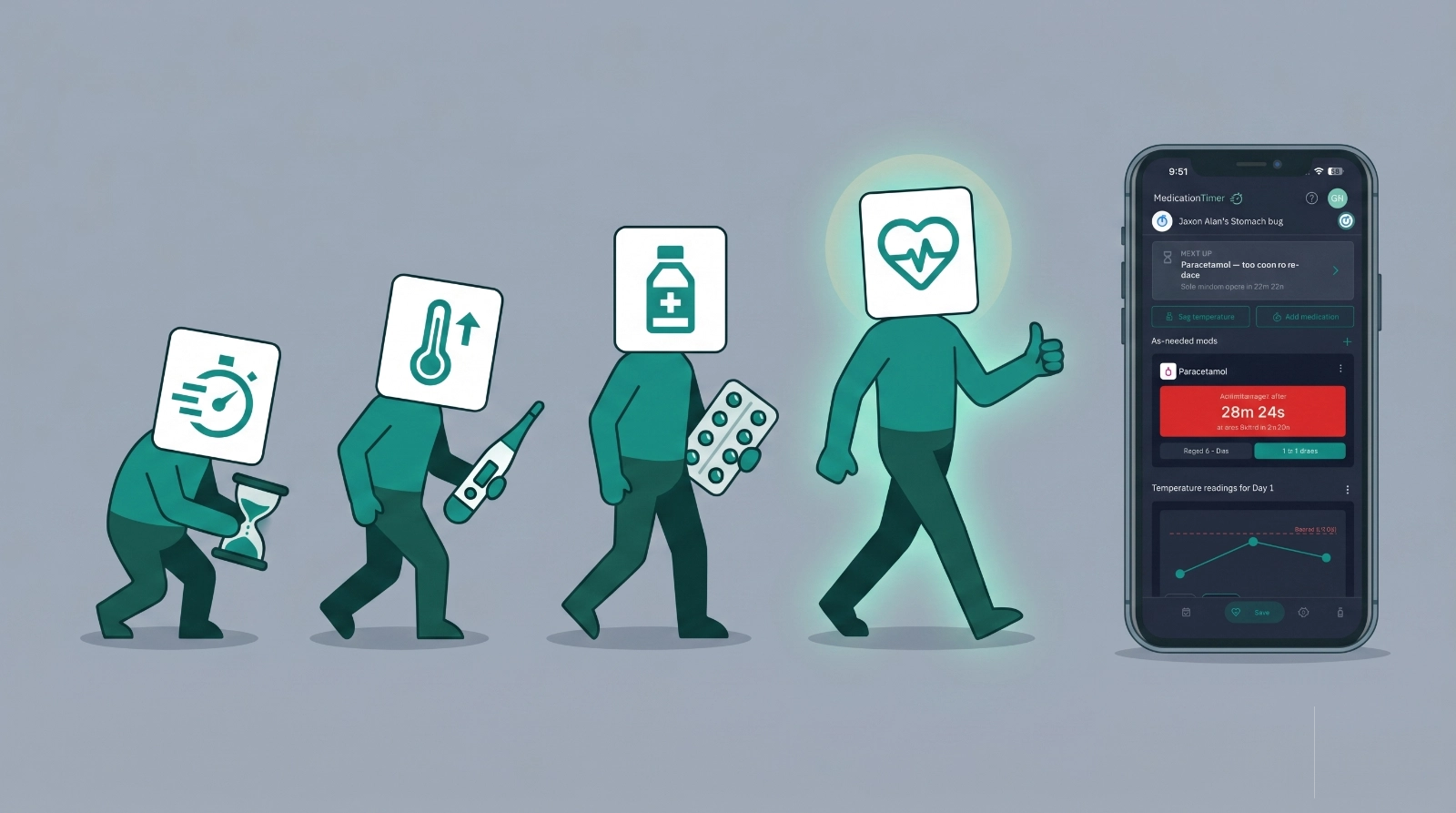
When a child wakes up warm, or a partner comes down with flu, medication management suddenly looks different. You are thinking about the next paracetamol dose, the thermometer, cough and fatigue, and maybe a prescription that has to be taken on a fixed schedule for a set number of days.
Medication Timer did not launch as a single illness mode. Timers came first, then temperatures, then symptoms on readings. Care is where those pieces meet: one place for the whole health episode, from the first as-needed dose to the last antibiotic tablet.
Stage One: the timer
The first problem we focused on was simple: when can we give the next dose?
As-needed medicines (paracetamol, ibuprofen, antihistamines) do not follow a calendar. They follow rules: minimum hours between doses, maximum doses per day, and the worry that you already gave something but cannot remember when, all happening when the cold or flu could be running through the entire family. Timers in Medication Timer handle that. Start a dose, see a countdown, get a nudge when it is safe to give again, and avoid over or under-dosing.
When your family is sick, a timer is only the start, but it is what everything else was built on.
Stage Two: the temperature
Many of the sicknesses our kids bring home from school come with fever so you are not only spacing medicines. You want to know if the temperature is coming down, when you last measured, and whether to call the doctor.
Temperature readings added logging in your preferred unit, trends across hours and a 24hrs period, and reminders for the next check to help you track progress. The timer told you when paracetamol was allowed again; the temperature log helped you see whether it was helping.
You still had timers in one place and temperatures in another, and you were still keeping the timeline in your head on those long nights with the thermometer.
Stage Three: symptoms on every reading
A number on its own is not always enough. A child can run a modest temperature while refusing fluids. An adult can spike high and still feel almost fine until evening.
We added a symptom tracker to temperature readings: fever, cough, sore throat, rash, vomiting, not drinking, difficulty breathing, and more. Each log records how someone felt, not just the reading.
Timers, temperatures and symptoms worked well, but they lived in different parts of the app. During a stomach bug you were still joining the dots: when was the last dose, what was the reading at 2 a.m., which symptoms were worst yesterday.
Stage Four: Care
Care pulls those stages into one workflow.
When one or more of your family are dealing with an illness, you want a simple to use, focused centre for Care.
It's simple, log in and start a session for the family member who is unwell, and stay in one illness episode:
- Label the episode (e.g. Flu, Stomach bug, Strep) so you can find it later, and we provide you with a set of common ailments to speed things up.
- Setup your care session with choices for whether you want to track temperatures & symptoms and whether you have short course medications to manage like antibiotics.
What you get inside a care session
Starting care takes a few taps. You choose who you are looking after, what to track, and optionally a short medication course.
As-needed medications
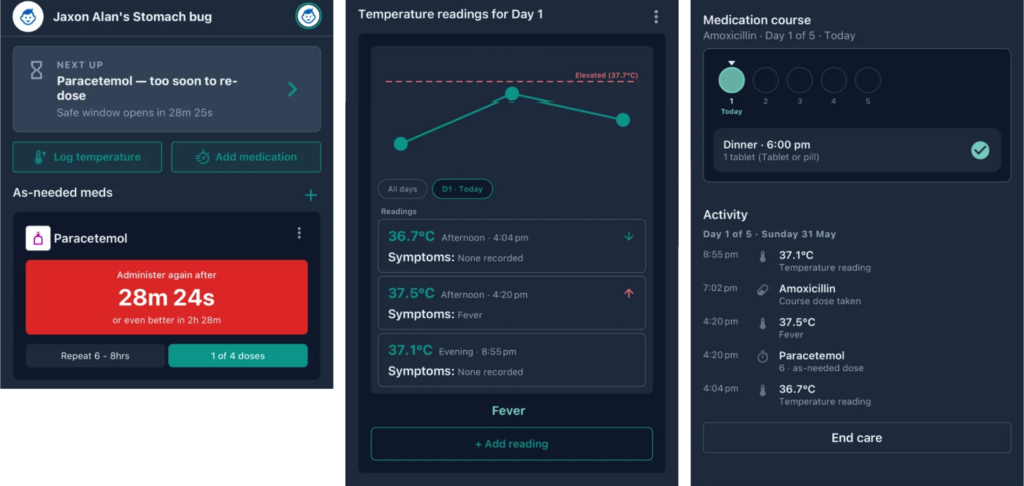
Care uses the same timer model you already know, filtered to the current session. Due and overdue doses show in Next up. If it is too soon, you see that as well. Quick timers let you save member and medication pairs for faster logging when you are tired. Unlike the previous timers implementation, you can also check the Care activity to see all medications taken during the care session and when they were taken.
Temperature and symptoms
Turn on temperature tracking for the session and Care becomes a fever log for this illness only. Set how often you want a prompt for the next reading, log the value, tick symptoms, and review a timeline or chart with both on each entry.
It is the same symptom list as in Temperatures, limited to the care window so this week's cold stays in one place and you can also add your own custom symptoms in your settings now!
Short courses (antibiotics and antivirals)
Some illnesses end with rest and fluids. Others end with a script: amoxicillin, oseltamivir, or a seven-day four-times-daily course. Those have a fixed length and a clear end date, unlike a daily tablet you take for years.
On the Family plan, Care supports short medication courses: reminders from the start day through the end day, then they stop. They are separate from long-term dose routines, so a ten-day antibiotic does not fill up everyday scheduling.
You can add a course when you start care, or after a GP visit on a later day if you visit the GP after the Care session has started.
Preset medications and course cadence
Course setup includes shortcuts so you are not typing drug names on a small keyboard while someone is unwell.
Preset medications
| Preset medication | Typical schedule | Default length |
|---|---|---|
| Amoxicillin | 3× daily with meals | 10 days |
| Azithromycin | Once daily (morning) | 5 days |
| Amoxicillin-clavulanate | Twice daily | 10 days |
| Cephalexin | 4× daily (with bedtime) | 7 days |
| Oseltamivir (Tamiflu) | Twice daily | 5 days |
| Acyclovir | 4× daily (with bedtime) | 7 days |
Tap a chip and name, cadence preset, and duration are filled in. Change anything to match the label. Presets are shortcuts, not medical advice.
How often (cadence presets)
Five patterns match common antibiotic and antiviral schedules:
- 3× daily with meals: breakfast, lunch, dinner (default 10 days).
- Twice daily: breakfast and dinner (default 10 days).
- 4× daily: meals plus bedtime (default 7 days).
- Once daily: morning (default 5 days).
- Every 8 hours: 7:00 a.m., 3:00 p.m., 11:00 p.m. (default 10 days).
Each option shows anchor times and a short note before reminders are created. Course length can be changed in day steps (5, 7, 10, 14, and so on) when the prescription does not match the default.
First dose today
Courses often start partway through the day. Care asks which dose is first today, skips earlier slots on day one, and adjusts the last day to match. It also summarises dose counts in plain language so you can compare with the pharmacy label.
Day-by-day views list scheduled doses. On past days you can mark a dose taken or leave it skipped. When someone feels better but antibiotics continue, end care can keep course reminders until the course finishes, or stop reminders entirely.
What stays the same elsewhere
Care is for unplanned illness. It does not replace Today, or long-term dose routines for everyday and chronic use.
Try Care
We built Care because sick days tend to mix dosing, fever checks, and notes at once, and families were already using separate parts of the app for each. Care is those parts brought together for one member and one episode, with optional course reminders on the Family plan.






