
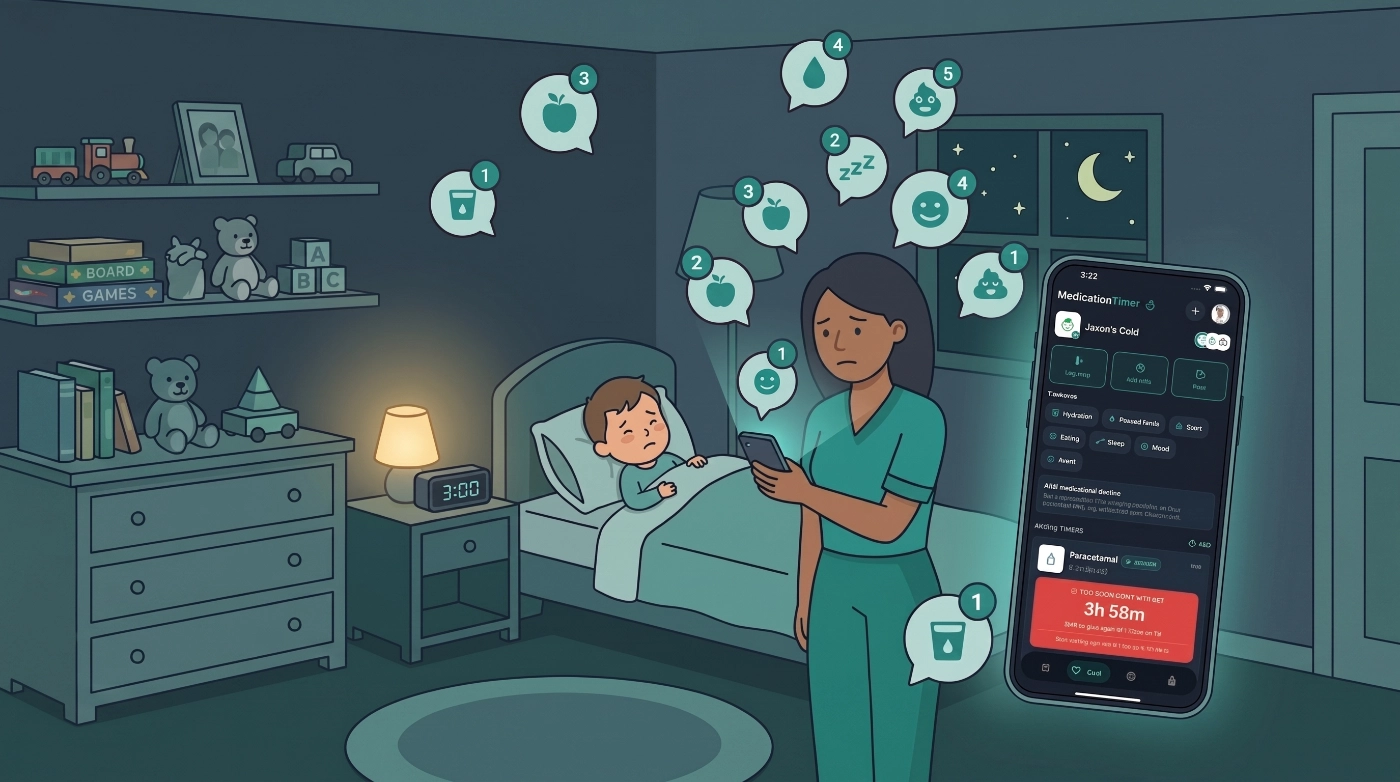
A GP visit after a stomach bug is rarely only about the last temperature. Someone asks whether they kept drinks down, whether nappies or urine kept coming, how they slept, and whether they would eat. Those answers often live in a notes app, a paper list, or three different caregivers’ memories.
2.7.0 puts those check-ins in Care, on the same illness timeline as as-needed doses and fever logs. With Family Care, you can turn on optional wellness readings when you start care (or later with Edit what to track): Hydration, Passed fluids, Stool, Eating, Sleep, Mood, and Vomit. Event types log in one tap. Rated types use a 1 to 5 scale with a short caption. Free-text Add note is unchanged.
Available on iOS, Android, and the web app.
Wellness readings are Family Care. Price is shown in-store for your region. Care sessions, as-needed timers, and temperature logging stay available on the free plan.
What's in 2.7.0
- Care wellness readings (Family Care): optional Hydration, Passed fluids, Stool, Eating, Sleep, Mood, and Vomit check-ins during an illness session
- Quick logging: events save immediately; stool, eating, sleep, and mood use a 1 to 5 rating (sleep and mood also accept a note)
- Edit what to track: turn wellness types and temperature on or off while care is already active
- Shared picture: wellness rows appear in Care Activity and in family reports for that period
These readings are observational. They do not diagnose dehydration, constipation, or mood. Follow your clinician’s and pharmacist’s advice.
Care wellness readings
Use wellness readings when you already know you will be asked about fluids, eating, or sleep, and you want one timeline instead of a scrap of paper.
When you Start care (or open Edit what to track / Manage during a session):
- Leave Temperature & symptoms on if you still want fever logs.
- Under Wellness readings, turn on only the types you need. All wellness types default off.
- During the session, a Wellness chip row appears for enabled types.
Log each time it happens (one tap, optional note):
- Hydration (had a drink / fluids taken)
- Passed fluids (wet nappy or urine)
- Vomit (one episode per log)
Rate from 1 to 5 when logging:
- Stool: Loose, Soft, Normal, Firm, Constipated
- Eating: Refused, Barely, Some, Most, Ate well
- Sleep: Poor, Restless, Fair, Good, Rested well
- Mood: Low, Irritable, Uneven, Settling, Settled
Sleep and mood can also be saved with a note if a number is not useful that hour.
Rows show in the session Activity timeline with the type label and rating caption when you used the scale. With Family Care, they are included in family reports for the report period, alongside notes and temperatures.
There is no fluid-volume calculator, no mandatory hourly prompt, and no custom wellness chips in this version. Free-text Add note (General, Symptom, Medical advice, Food & fluid, Sleep, Mood) remains for observations that are not a structured reading.
Edit what to track
Illness changes. You might start care for fever only, then want stool and hydration after a GP visit.
Open the active session, tap Edit what to track (or Manage), and update:
- Episode label
- Temperature & symptoms (including turning it on after start, and the next-reading prompt interval)
- Wellness readings types
- Optional short medication course (Family Care), if the session does not already have one
Save. Chips and prompts update for everyone sharing that household.
Also in 2.7.0
- Start care and tracking settings aligned on mobile and web
- Family reports count and title wellness rows when ratings are present
- Pediatric growth chart age window polish
- Bug fix: Care short-course last-day picker and reminders that kept firing after the course ended
Sneak peek: experimental travel schedules
2.7.0 also includes an experimental travel overlay. It is a sneak peek, not the main story of this release.
Use it to plan time-critical medications for long-haul trips with your GP or pharmacist. Preview how clocks jump on the way and after you land, agree extras or skips with them, then save a trip-only overlay. Usual clocks keep firing in the city you just left until you arrive. Destination clocks start at arrival. Reminder records do not change. Medication Timer does not invent a destination dosing plan.
This is an early release: expect rough edges, and confirm important doses with your clinician if something looks off. Open Travel from Profile or Today, or when the phone names a new city after a timezone change.
Help: What happens when I travel to another timezone?
Did you miss what changed in 2.6.2?
2.6.2 shipped just before this release. If you skipped that update, here is what you already have:
- Monthly and Custom dose routines, plus First due
- Family Care Quick setup for twice or three times daily
- Count as due vs Keep due when you log a weekly, monthly, or custom dose or reading early
- Matching reading schedules on Today
- Clearer Care empty state: start care for each family member
More detail: Medication Timer 2.6.2 release notes.







