
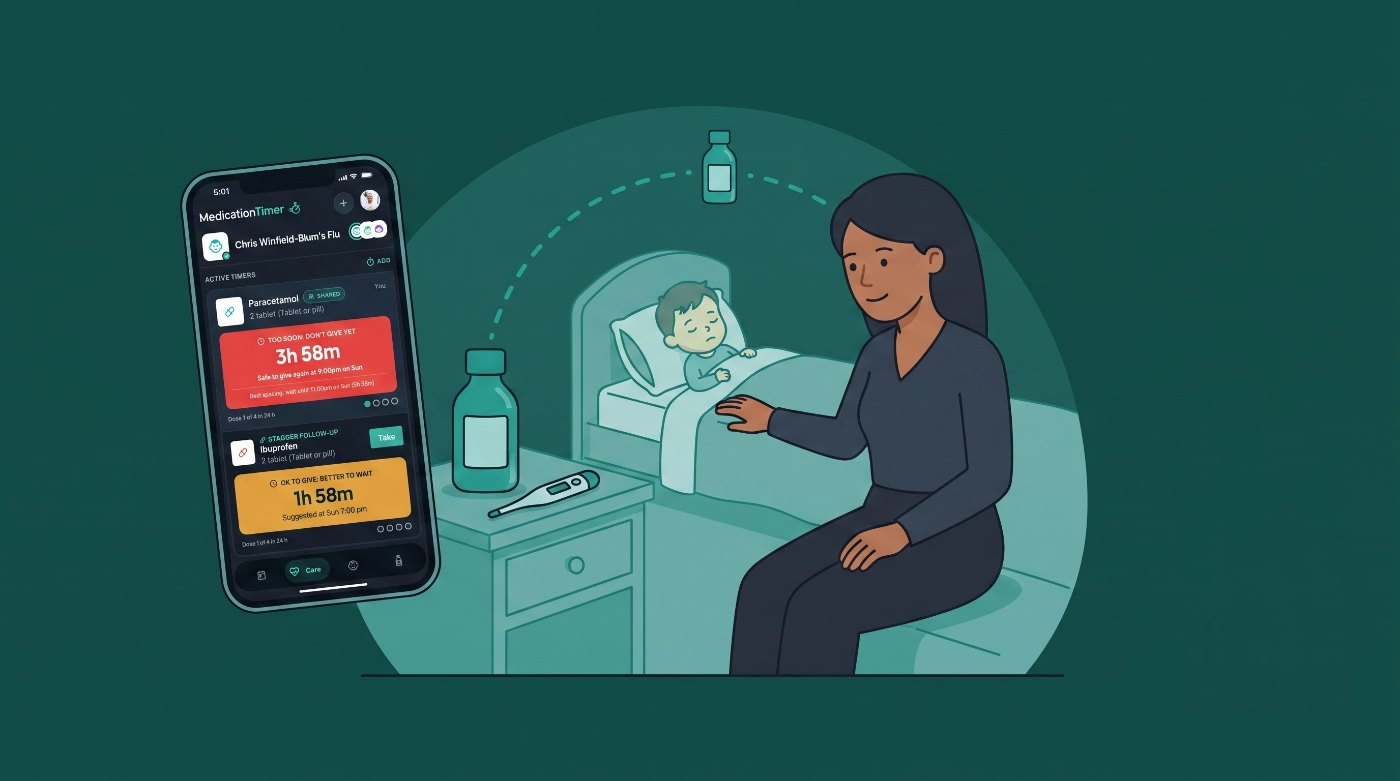
School called. Ear feels warm at pickup. By bedtime the thermometer reads 101.2 °F, and the bathroom shelf holds two familiar bottles: children’s Tylenol (acetaminophen) and children’s Motrin or Advil (ibuprofen). One parent is finishing bedtime. The other is still commuting. The question is not “do we have medicine?” It is “who gave what, and when is the next dose allowed?”
This is the US-oriented guide to children’s dose timers in Medication Timer: Drug Facts–friendly setup, a Care session for this illness only, as-needed timers for OTC liquids, optional staggered follow-ups only when your pediatrician or pharmacist already gave you that plan, and what changes when an antibiotic prescription shows up on day two.
Not medical advice. Always follow your child’s Drug Facts label, pharmacist, or pediatrician for dose, strength, weight-based liquids, and whether two medicines should ever be spaced together. The app remembers your schedule; it does not invent one.
Available on iOS, Android, and the web app.
Friday afternoon: name bottles the way your shelf reads
Before the rough night, spend five calm minutes so midnight logging is one-handed.
- Create the child’s profile under Family.
- Under Medications, add the liquids you actually buy. Useful US shelf language:
- Acetaminophen / Children’s Tylenol
- Ibuprofen / Children’s Motrin or Children’s Advil
- Loratadine / Children’s Claritin when seasonal allergies are part of your kit
- Keep acetaminophen and ibuprofen as separate library medicines. Each keeps its own spacing window and 24-hour maximum.
- Match intervals and max doses to the label or the dosing chart your pediatrician already approved. Onboarding presets are shortcuts, not a prescription. In-app notes still say to confirm dosing and use weight-based liquids when that applies.
If the app’s quick-add shows Paracetamol, that is the same active ingredient as acetaminophen. Rename or add a Tylenol-labeled entry if that is what caregivers will say out loud (helpful for Siri / Google Assistant dose logging on mobile).
Chronic daily tablets belong on dose routines, not fever timers. See How to use medication routines when you need clock schedules instead of “safe to give again.”
Friday night: open Care, not a group chat
Start a Care session for this child and this illness (label it something you will recognize later: “Fever + ear,” “Viral,” “After daycare bug”). Care is the difference between a sticky note on the fridge and a timeline both parents can trust.
Inside the session you can:
- Log as-needed doses with the same safety rules as everywhere else in the app
- Turn on temperature and symptoms for this episode only (optional check prompts every 30 minutes to 4 hours)
- Watch Next up for the single most urgent action: dose due, still too soon, temperature check, or a course dose later in the weekend
- Dictate a note on mobile when the nurse line says “push fluids” or sleep finally breaks at 3 a.m.
- End care when the episode is over so Today is not permanently full of last weekend’s fever
Scene: Jordan starts Care at 7:15 p.m., enables temperature prompts every 2 hours, logs 101.2 °F with “not drinking much” ticked, and gives children’s Tylenol. Partner arriving at 9:40 p.m. opens the same session, sees the countdown and Last: Jordan · 7:20 p.m., and does not double-dose from a half-remembered text.
Solo caregivers still benefit: the timer is your memory when sleep debt is high. Shared households with Family Care coordination see the same session and logger line after sync.
One bottle or two: how fever liquids map to timers
When you are only using Tylenol (or only Motrin)
Treat it as a classic as-needed timer. Log the dose you just gave from Care (or Timers outside an episode). The card answers “when is this medicine allowed again?” and tracks that medicine’s own daily maximum when one is set. One-tap Log dose later still obeys those rules.
When the bathroom shelf has both
Many US parents keep both acetaminophen and ibuprofen on hand. That does not mean Medication Timer will tell you to alternate them. Default path: log whichever medicine you actually gave as its own timer. Two medicines, two independent clocks.
When your clinician already described a spacing plan
If a pharmacist or pediatrician has already told you to space acetaminophen and ibuprofen by a specific gap, 2.6.1 lets you capture that as an opt-in stagger:
- In Care, open Add timer and log the first liquid (say Tylenol).
- Enable Also stagger another medication.
- Choose the second liquid (say Motrin), the dose you use, and the Stagger duration from advice you already have.
- Check Next suggested, then save.
Only the first dose is recorded as given. The second becomes a synced stagger follow-up: a shared reminder, not a dose invented in advance. Completing it logs medicine B; skipping it does not. Each bottle still enforces its own “too soon” and daily max.
Shift-change scene (illustrative only): Tylenol at 8:00 p.m. with a stagger your pharmacist already outlined. At 10:05 p.m. the follow-up is due. The on-duty parent sees the same card, confirms Motrin’s own rules allow it, and logs the dose. Toward morning, Tylenol’s separate timer (not the stagger) decides when acetaminophen can be logged again.
With Family Care, save that reviewed pair as a staggered quick timer so the next virus does not require rebuilding the form at 1 a.m. Launch still asks for confirmation before anything is written.
Product references: 2.6.1 release notes and the help article How do I stagger another medication? (once published).
Saturday: daycare, work handoff, and “did you give Motrin?”
Fever weekends often fail in the handoff, not the dosing math. Medication Timer reduces the chat lag:
- Timer cards on shared households show Last: {Name} · {time} (or You)
- Detail shows Administered by
- Care Activity keeps doses, temps, and notes on one scroll for whoever has the child during the day
If a grandparent or co-parent joins through Sharing & Access (Family Care), they inherit the same follow-up and logger context after records sync. Reshare or reassign tools live under Profile → Sharing & Access when a family link needs a refresh.
When the pediatrician adds a prescription
OTC fever liquids stay on as-needed timers. A fixed-length antibiotic or antiviral should not permanently clutter everyday Today routines. With Family Care, add a short medication course inside the open Care session when the script arrives.
Name chips families often recognize after a US clinic visit include:
- Amoxicillin
- Amoxicillin-clavulanate (commonly Augmentin)
- Azithromycin (sometimes prescribed in a Z-Pak-style cadence)
- Cephalexin (commonly Keflex)
- Oseltamivir (Tamiflu)
- Acyclovir
Chips only prefill name, cadence, and length. The bottle label and pediatrician instructions still win.
Weekend arc: Friday night OTC timers (and stagger only if already advised). Saturday afternoon amoxicillin course after the visit. Keep logging fever liquids as needed. End Care when the child is better; finish remaining course reminders through the last day if the prescription continues.
Allergy season is different again: Claritin (loratadine) usually behaves like a long-interval as-needed or once-daily style timer, not a Tylenol/Motrin pair. The child syrup preset notes it is not recommended under 2 years; confirm age and dose with a professional.
What belongs where (quick map)
| Household moment | Use in Medication Timer |
|---|---|
| “Is Tylenol safe again?” | As-needed timer for acetaminophen |
| “Is Motrin safe again?” | Separate as-needed timer for ibuprofen |
| “Ped said wait X hours between these two” | Opt-in Also stagger another medication |
| “Who had the child at 2 a.m.?” | Care session + Last: / Administered by |
| “We got Augmentin for ten days” | Care short course (Family Care) |
| “Same tablet every morning forever” | Dose routine under Family, not Care |
For the full taxonomy of timers vs routines vs courses, see Medication timer types: routines and Care.
Free vs Family Care for this weekend
| Need on a sick weekend | Free | Family Care |
|---|---|---|
| Child profile, Care, temps, as-needed timers | Yes | Yes |
| Stagger follow-ups on Add timer | Yes | Yes |
| Save staggered Tylenol + Motrin as a quick timer | No | Yes |
| Short antibiotic / antiviral courses | No | Yes |
| Invite the other parent / grandparent to the same data | Limited | Yes |
Price for Family Care is shown in the App Store or Play Store for your region.
Dry run while everyone is healthy
- Add Children’s Tylenol and Children’s Motrin (or Advil) named like the bottles on your shelf.
- Start a throwaway Care session, log one dose, watch the countdown, then delete practice timers if you want.
- Only if you already have a two-medicine spacing plan, practice the stagger toggle once in daylight.
- Turn on iPhone or Android notifications so the on-duty caregiver gets timer alerts.
- With Family Care, invite the co-parent and confirm they see Last: after a test log.






