
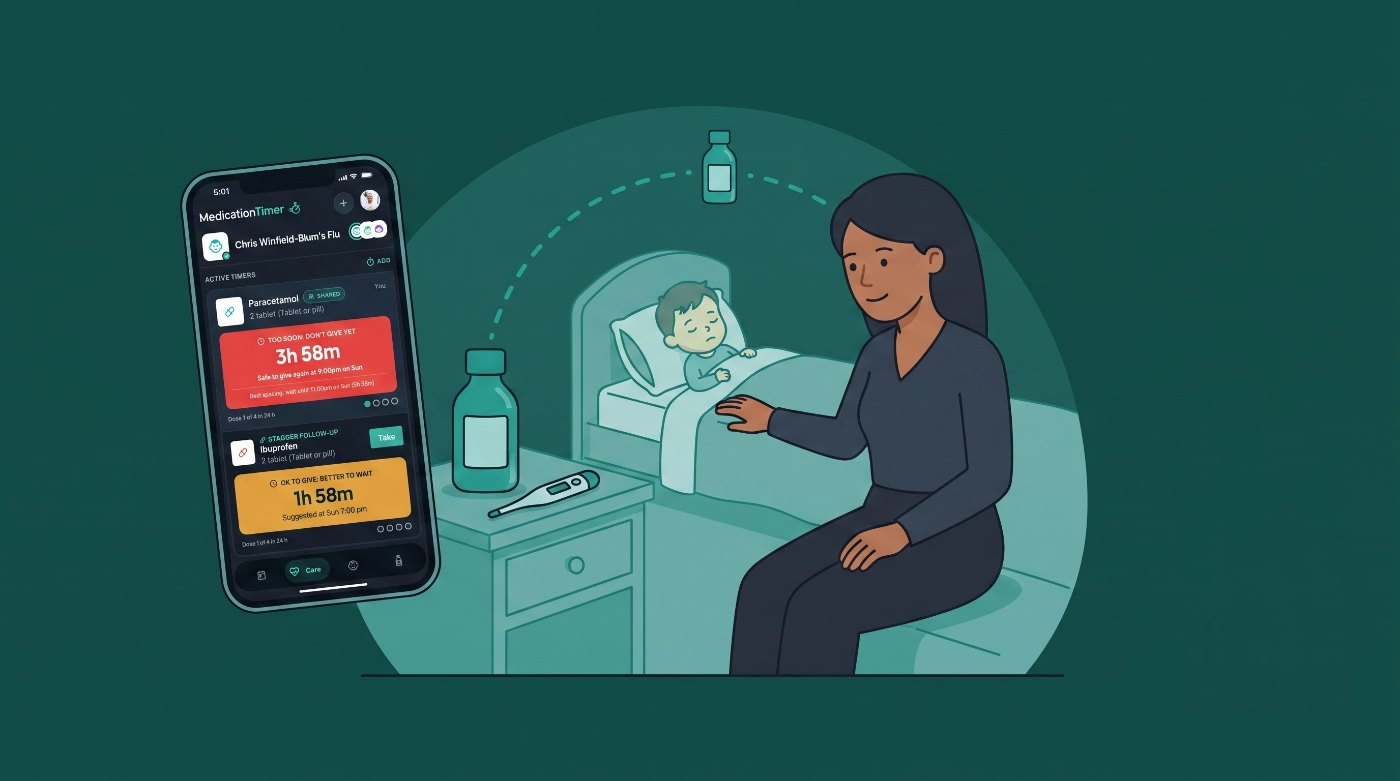
It is 1:40 a.m. The thermometer is warm. You are holding a syringe of kids’ liquid in one hand and your phone in the other, trying to remember whether the last dose was Paracetamol at ten or Ibuprofen at eleven, and when either is safe again.
Medication Timer is built for that fog. As-needed timers remember spacing and daily maxima for each medicine. Care keeps this illness in one workspace with temperatures, symptoms, and Next up. From 2.6.1, you can also turn on Also stagger another medication when you already follow a plan that spaces two different medicines (for example kids’ Paracetamol and Ibuprofen), so the household shares the same follow-up reminder.
This guide is for Australian and similar households using timers and Care for kids (Panadol, Nurofen, Claratyne, °C). It is not medical advice. Confirm every dose, strength, and spacing with the label, pharmacist, or clinician. Medication Timer does not decide that two medicines should be taken together or staggered.
Available on iOS, Android, and the web app.
Set up the kid and the medicines first
- Add the kid under Family (name, birth date, optional nickname/avatar).
- Add medicines under Medications. Onboarding includes child-oriented quick-add presets for:
- Paracetamol (kids’ liquid; brands such as Panadol / Tylenol)
- Ibuprofen (kids’ liquid; brands such as Nurofen / Advil)
- Loratadine (kids’ syrup; brand hint Claratyne)
- Confirm intervals and maximums match the advice you follow. Presets are a starting point only; the in-app notes remind you to confirm dose with your doctor or pharmacist and use weight-based liquid dosing where that applies.
You can add any other medicine your household uses. Timers and Care reference the library; they do not invent dosing.
As-needed timers: “when is it safe again?”
Kids’ fever and pain liquids are usually as-needed, not a fixed morning tablet. Log the dose you just gave. The timer shows when that medicine is allowed again and tracks progress against its own 24-hour maximum when one is set.
Example: Paracetamol alone
You give kids’ Paracetamol at 10:00 p.m. Log it from Care (during illness) or Timers. The card counts down using that medicine’s spacing. When it is safe, Next up or the timer cue can show it is OK to give again. Spacing rules still apply if you use one-tap Log dose later.
Example: Ibuprofen alone
Same pattern for kids’ Ibuprofen. Keep it as its own medicine in the library so its interval and daily maximum stay independent of Paracetamol.
Use as-needed timers for other interval-based kids’ medicines too, such as Loratadine when it is taken as needed on a long spacing (the child preset uses a 24-hour repeat window). If a medicine is a daily tablet at a fixed clock time, prefer a dose routine instead (see How to use medication routines).
Staggered timers for Paracetamol and Ibuprofen
Some households already follow pharmacist or clinician guidance that spaces two different medicines on a fever night (often kids’ Paracetamol / Panadol and Ibuprofen / Nurofen). Medication Timer can help you remember that schedule. It does not recommend alternating or invent a cross-medication gap from the medicine names.
How to set it up on Add timer
- Start Care for the kid (recommended on sick nights) or open Add timer.
- Log the medicine you just gave (for example Paracetamol).
- Turn on Also stagger another medication.
- Choose the second medicine (for example Ibuprofen), dosage, and Stagger duration that matches the advice you already follow.
- Review Next suggested, then save.
Saving logs only the first medicine. The app creates a synced stagger follow-up for the second: a pending suggestion every caregiver can see, not a dose taken in advance. Completing the follow-up logs the second medicine; skipping it does not invent a dose. Each medicine keeps its own spacing and daily limits.
Example fever-night walkthrough (illustrative only)
- 8:00 p.m.: You give Paracetamol and enable stagger with Ibuprofen after the gap your pharmacist already described.
- The follow-up appears for Ibuprofen at the due time you confirmed.
- Partner opens the app at 10:00 p.m., sees the same follow-up and Last: / who logged Paracetamol, and takes the Ibuprofen dose when it is due and safe under Ibuprofen’s own rules.
- Later, when Paracetamol is allowed again on its own timer, you log that dose separately (with or without a new stagger).
Only use a stagger that matches the label or advice you already follow. If you are unsure whether two medicines should be spaced that way, ask a pharmacist or clinician before turning the toggle on.
With Family Care, you can Save as quick timer after configuring a stagger so the kid + both liquids + duration are one tap away on the next fever night. Launching still asks you to review before anything is logged.
More product detail: Medication Timer 2.6.1 release notes and How do I stagger another medication?.
Care: one workspace for the sick kid
Care is the illness episode for one kid at a time:
- Label the episode (for example Flu, Ear infection, Stomach bug).
- Log as-needed timers (including stagger plans) scoped to the session.
- Turn on temperature and symptoms for this illness only, with optional prompts for the next reading.
- Use Next up for the single most urgent action (dose due, too soon, temperature check, course dose).
- Add notes (GP advice, fluids, sleep). On mobile you can dictate.
- End care when the episode is over so everyday Today is not full of last week’s fever log.
Example: Fever night with temps
Start care for Maya, enable temperature tracking every 2 hours, log Paracetamol (optionally staggered to Ibuprofen), then log 38.4 °C with symptoms ticked. Activity keeps doses, readings, and notes on one timeline for the person who takes over at midnight.
Shared caregivers with Family Care see the same session, timers, and who gave the last dose.
Short courses vs kids’ timers
Fever liquids are usually timers. Fixed-length scripts belong in Care short medication courses (Family Care), so a ten-day antibiotic does not permanently fill everyday routines.
Course name chips in the app include medicines families often meet after a GP visit, for example:
- Amoxicillin
- Amoxicillin-clavulanate
- Azithromycin
- Cephalexin
- Oseltamivir (Tamiflu)
- Acyclovir
Chips only prefill name, cadence, and length. Your prescription label still wins.
Example: Ear infection week
Days 1–2: Care session with Paracetamol / Ibuprofen timers (and stagger only if already advised). Day 2: add an Amoxicillin course when the script arrives. Finish the course reminders through the end date, then end care when the kid is better.
Other common kids’ medicines you can track
Besides Paracetamol and Ibuprofen, these appear in Medication Timer’s child-oriented or Care tooling and make natural examples:
| Medicine | Typical role in the app | Notes |
|---|---|---|
| Paracetamol (Panadol, kids’ liquid) | As-needed timer; optional stagger partner | Confirm weight-based liquid dosing |
| Ibuprofen (Nurofen, kids’ liquid) | As-needed timer; optional stagger partner | Own interval and daily max; confirm dosing |
| Loratadine (Claratyne / similar) | As-needed or long-interval timer; child syrup preset | Child preset notes it is not recommended under 2 years |
| Amoxicillin and other Care course chips | Short Care course (Family Care) | Fixed length; not a chronic daily routine |
| Any other OTC or prescription in your library | Timer, routine, or Care course as appropriate | Add under Medications; match your label |
Do not treat this table as a list of medicines that should be staggered together. Stagger is opt-in and user-supplied. Antihistamines, antibiotics, and antivirals usually use a single timer, a daily routine, or a Care course, not a Paracetamol-style pair.
For the wider map of timer types, see Medication timer types: routines and Care.
Who gave the last dose (shared households)
On fever nights with two caregivers, timer cards can show Last: {Name} · {time} (or You) and detail panels show Administered by. That reduces “did you already give Nurofen?” texts. Solo households keep quieter time-only copy.
Free vs Family Care on a sick night
| Capability | Free | Family Care |
|---|---|---|
| Kid profiles + as-needed timers | Yes | Yes |
| Care sessions, temps, symptoms, Next up | Yes | Yes |
| Stagger on Add timer / follow-ups | Yes | Yes |
| Staggered quick-timer save | No | Yes |
| Short medication courses | No | Yes |
| Shared caregiver coordination | Limited | Yes |
Try it before the next fever night
- Add the kid and kids’ Paracetamol / Ibuprofen (and Loratadine if you use it) under Medications.
- Open Care, start a practice session, and log one dose so you see the countdown.
- If you already follow a two-medicine spacing plan, try Also stagger another medication once while you are calm, then delete the practice timers if you like.
- With Family Care, save the staggered pair as a quick timer for the real night.
- Turn on mobile notifications so timer and Care alerts can reach whoever is on duty.







