
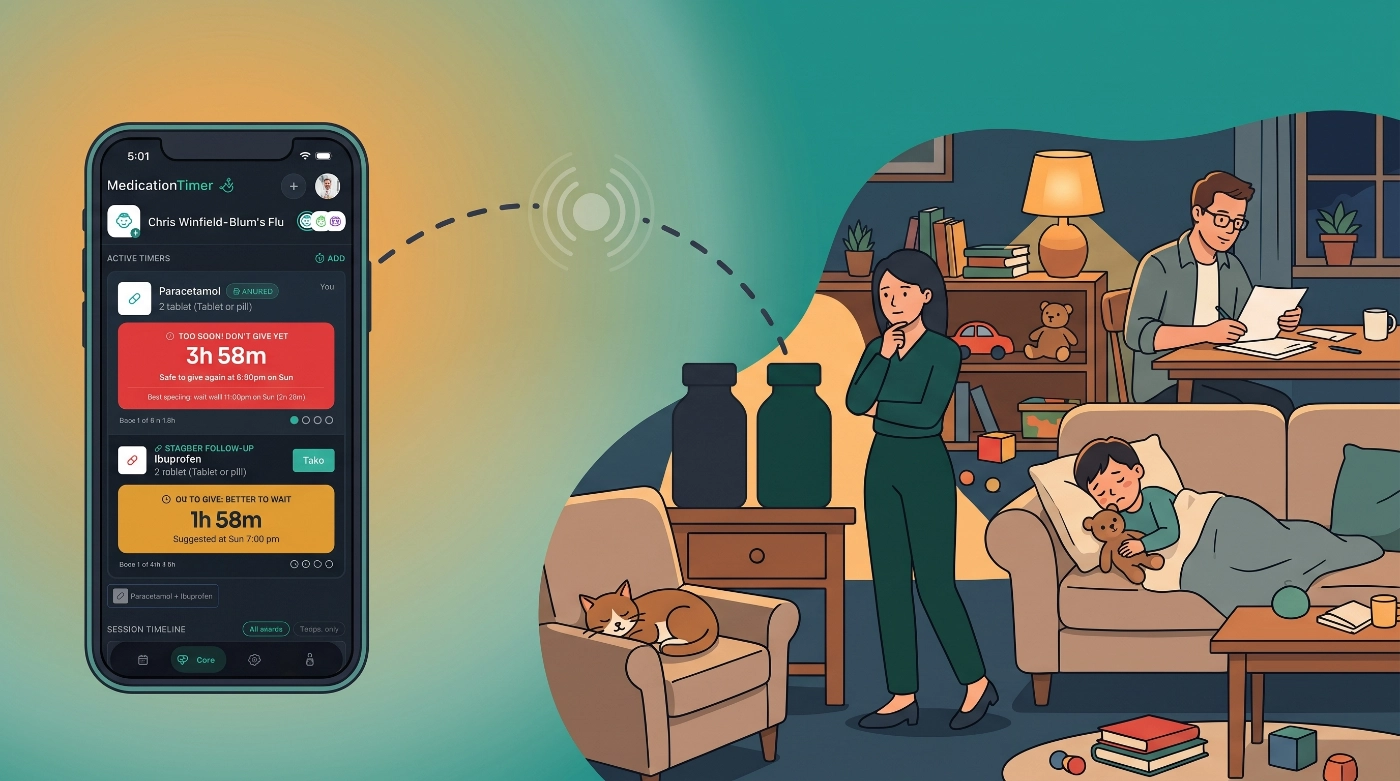
Fever nights often come with a second clock in your head. You give one medicine now, another a few hours later, and you keep asking the same questions: which one is next, when is it due, and did someone already give it?
2.6.1 helps with that mental arithmetic without inventing a care plan for you. Turn on Also stagger another medication when you log an as-needed dose. Set a long-term routine to fire After another medication is logged. On shared households, timer cards and reports show who gave the last dose. Sharing & Access also gains manage actions so you can share existing records again or assign a grant to a family member.
Available on iOS, Android, and the web app.
For a fuller map of as-needed timers, routines, Care courses, and quick timers, see Medication timer types: routines and Care (confirm URL once that article is live).
What's in 2.6.1
- Staggered medication schedules: optional Also stagger another medication when adding an as-needed timer
- Relative dose routines: schedule chip After another medication (offset from the logged anchor dose)
- Dose attribution: Last: / Administered by on shared timers and Activity rows
- Sharing & Access manage: Share all existing records and Assign to a family member
Each medicine still keeps its own spacing and maximum-dose rules. Medication Timer does not decide which medicines should be taken together.
Staggered medication schedules
Some households already follow a label or clinician plan where two different medicines are separated in time. 2.6.1 helps you remember that schedule without changing the normal single-timer path.
When you Add timer (from Care, Timers, or as-needed flows):
- Log the medicine you just gave, as usual.
- Optionally turn on Also stagger another medication.
- Choose the second medication, dosage, and Stagger duration.
- Review Next suggested time, then save.
Saving logs only the medicine you administered. The app creates a synced stagger follow-up for the second medicine (a pending suggestion, not a taken dose). Shared caregivers see the same follow-up and can receive its due reminder after sync. Completing the follow-up logs the second medicine; skipping it does not invent a dose.
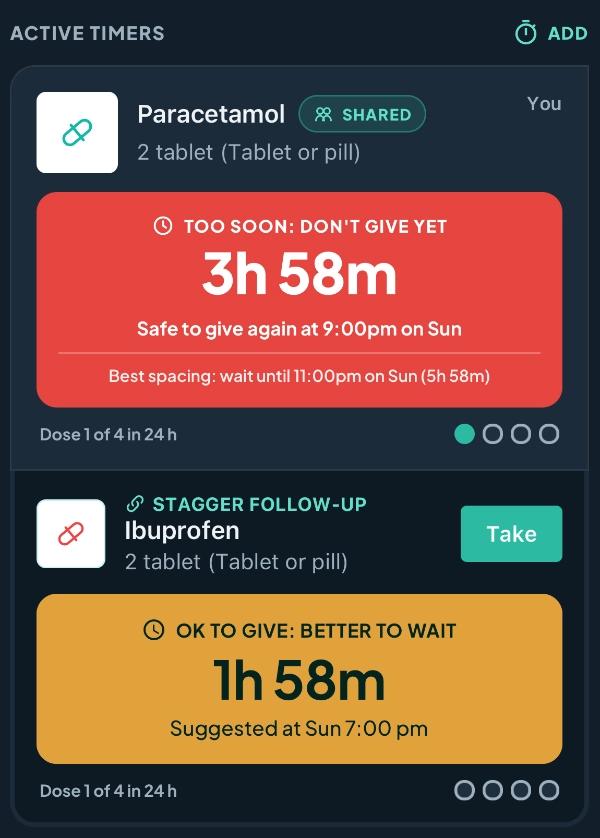
With Family Care, you can Save as quick timer after configuring a stagger, so the member, both medicines, and stagger duration are ready for the next episode. Relaunching still asks you to review before anything is logged.
After another medication (dose routines)
Long-term dose routines can now sit on a clock or follow another routine for the same member.
When you add or edit a routine under Family:
- Choose At a time for daily, weekly, or hourly schedules (unchanged).
- Or choose After another medication, pick an anchor routine, and set an offset such as 30 minutes after.
The offset is measured from when the anchor dose is actually logged, not from its scheduled clock time. Until the anchor is taken, the dependent shows as waiting on Today. If the anchor is skipped or never logged for that occurrence, no follow-up is created.
Relative scheduling uses the same shared stagger-follow-up model as as-needed stagger, so co-caregivers stay aligned.
For daily, weekly, hourly, and relative setup with household examples, see How to use medication routines (confirm URL once live).
Who gave the last dose
When caregivers share a household, timer cards and detail panels make the last logger obvious:
- Shared timers: Last: {Name} · {time} (or You)
- Detail: Administered by
- Care / report Activity rows append the logger when available
Solo households keep quiet time-only copy. Missing names fall back to Caregiver. This reduces “did you already give it?” chat lag; it does not change dose safety rules.
Sharing & Access manage
Open Sharing & Access from Profile. Invite and accept flows stay as before. For shares you sent, you can now:
- Share all existing records again (re-runs the account-wide backfill for an active grant)
- Assign to a family member when a family link needs reassignment
Trusted coordination remains a Family Care benefit. Price is shown in-store for your region.
Also in 2.6.1
- Stagger follow-up swipe-to-delete and linked delete when removing an anchor timer
- Quick timer manage polish (including staggered presets)
- Buy-reminder accessibility and medication / sidebar layout polish
- Timer safety and detail-panel attribution display cleanup
Did you miss what changed in 2.6.0?
2.6.0 shipped just before this release. If you skipped that update, here is what you already have:
- Running low: flag a medicine for a top-up without stock counts (free)
- To pick up and buy reminders (Family Care, mobile): shared list and one daily digest
- In-app What's new feed for product news (teal cue on Profile)
- Soft Today check-in when growth or body metrics need a top-up
More detail: Medication Timer 2.6.0 release notes.







