
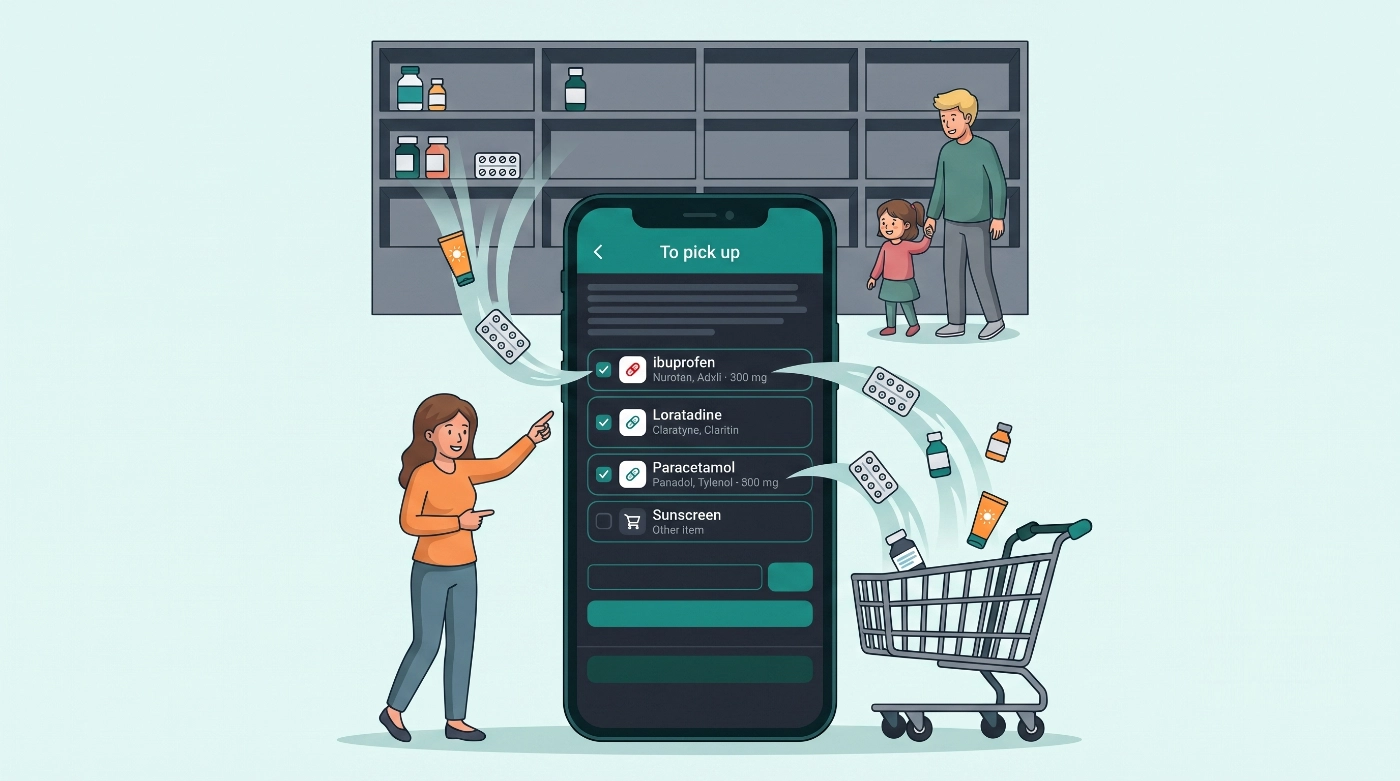
Fever nights have a familiar rhythm. You give a dose, notice the bottle looks light, tell yourself you will pick more up tomorrow, and then the week races past. The next illness starts and the cupboard is empty again.
2.6.0 keeps that moment simple. Mark a medicine as running low when you notice it. With Family Care on mobile, keep a shared To pick up list and get one calm daily reminder until someone clears it. No stock counts, pack sizes, or inventory maths. This release also adds an in-app What's new feed for product news, tips, and release notes (separate from dose and timer alerts).
Available on iOS, Android, and the web app. Daily buy-reminder pushes are mobile-only; web can mark and clear running-low flags.
What's in 2.6.0
- Running low: flag a medicine for a top-up without entering stock counts (free)
- To pick up (Family Care, mobile): shared shopping list for flagged medicines and other pick-up lines
- Buy reminders (Family Care, mobile): one daily digest at a time you choose
- What's new: in-app feed for product news, tips, and release notes (teal unread cue)
Buy reminders are not inventory tracking. Dose timing and maximums stay the same as before.
Running low and To pick up
When a bottle feels light while you are already in the app, you can mark it without reconstructing stock maths.
Mark running low from:
- Swipe Low on a Today or Care dose row (or as-needed timer row)
- The Running low toggle when adding or editing a medicine / timer
- To pick up → Add other medications on mobile (Family Care)
While flagged, you see a clear Running low cue on timers and medication cards. Any caregiver who shares the household can clear it when they buy more.
On mobile with Family Care, open To pick up from Medications, from Settings → Notifications (when buy reminders are on), or from the buy-reminder notification. Tick items while you shop, add free-text OTC lines, then Complete shopping so the list clears for everyone. Swipe to remove one item early if you need to.
Buy reminders (Family Care, mobile)
Marking running low works on the free plan. The shared To pick up list and daily digest notification are included with Family Care on iPhone and Android (web does not send buy pushes).
Under Settings → Notifications:
- Turn Buy reminders on or off
- Set Remind at (default 9:00 local)
- Open View to pick up list
When something is still flagged, you get one household digest titled To pick up, not a separate alert per medicine. Actions include Bought more (clears the digest items), Remind tomorrow, and Open to the list. Quiet hours still apply. The app never claims to count tablets or days of supply; price for Family Care is shown in-store for your region.
In-app What's new
What's new is a feed inside the app for product news, tips, service notices, and release notes. It is not an OS push for doses or timers, and it is not the App Store / Play listing “What's New” text.
- On mobile, a teal dot on your profile avatar signals unread items. Open Profile → What's new
- On web, use the sidebar bell (or the Profile row on narrow widths)
- Tap an item to mark it read; dismiss to hide it for your account
- Reset read and dismissed history under Settings → Notifications → What's new
Items usually stay visible for about 30 days from publish unless they are archived sooner.
Also in 2.6.0
- Soft Today check-in when growth or body metrics have not been logged for about a month (Open or Not now; skipped if a reminder is already set)
- Deep links from buy-reminder notifications open To pick up on mobile
- FAQ and Family Care copy updated for buy reminders
- Polish across Today, Care dose rows, medication edit, and notification settings
Did you miss what changed in 2.5.4?
2.5.4 shipped quietly just before this release. If you skipped that update, here is what you already have (or will get when you update):
- Family or Simple app style: choose during onboarding or later in Settings → App style (or Layout). Family centres Today and Care; Simple centres classic Timers and a temperature log with less calendar workspace by default
- Faster household setup: say how many people to add, then names, avatars, birth dates, and optional nicknames
- Member avatars and nicknames: silhouettes plus labels such as Mum, Dad, Nana, or Partner; clearer relationships (Parent, Child, Partner, Caregiver, and more)
- One-tap log dose from an existing as-needed timer when it is safe to give again (same spacing and maximum-dose rules)
- Custom tabs: show or hide Today, Care, Timers, and Temps under Settings
- App links: Universal Links on iPhone and App Links on Android open Medication Timer URLs straight in the app
Dose timing rules did not change in 2.5.4. Layout preferences only change what you see. More detail: Medication Timer 2.5.4 release notes.







