
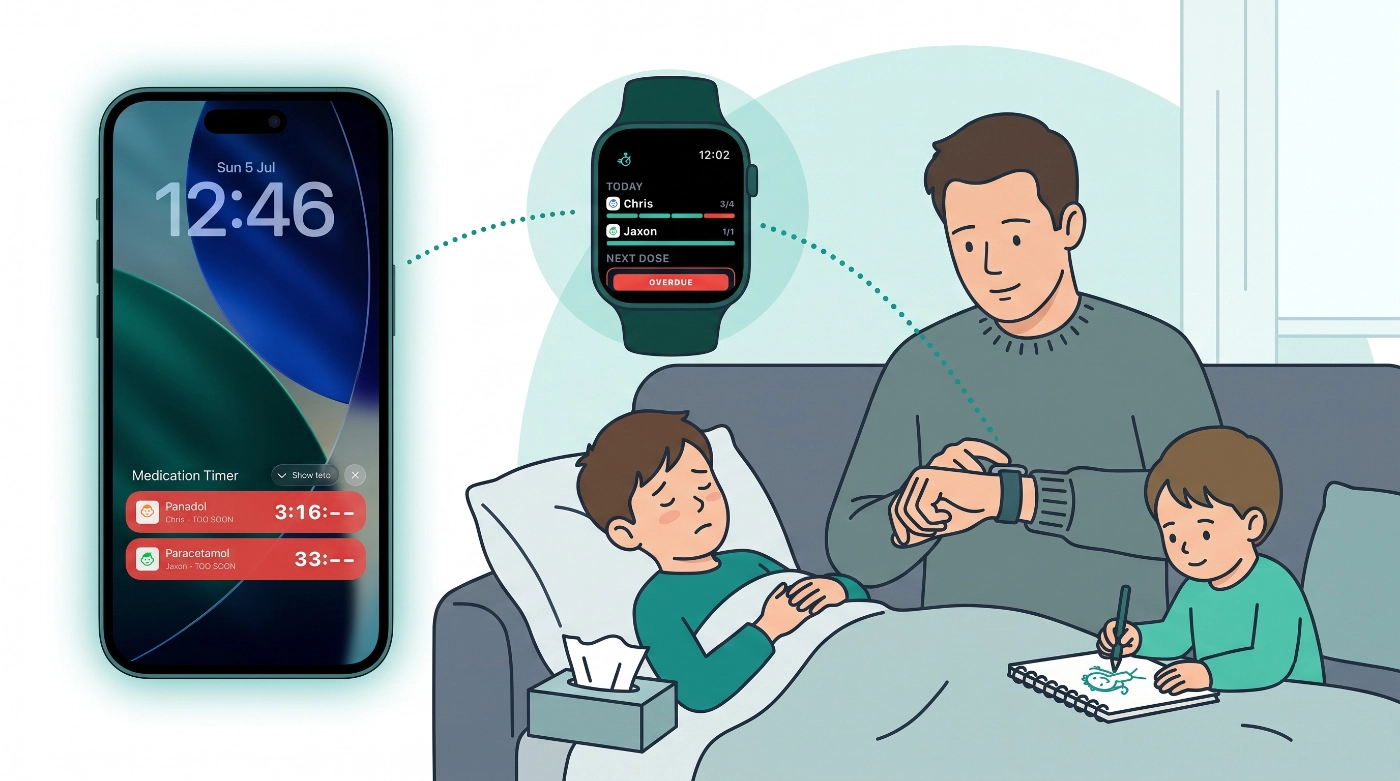
When someone in the house is unwell, you are rarely sitting in the app with time to spare. You are settling a child, making a drink, checking a temperature, or trying not to wake anyone else. The questions that matter are practical: how long until I can give more?, what is due next?, and where are we up to today?
Until now, those answers lived inside Medication Timer on your phone. That is fine when you have a hand free and the screen unlocked. It is less fine at 2 a.m. on the couch, or when your phone is face-down on the bedside table.
2.5.2 brings the same household medication state to the surfaces you already glance at: lock screen, home screen widgets, and (on iPhone) a new Apple Watch companion. You still open the full app when you need to log something in detail. The point is to see countdowns, Today progress, and the most urgent dose across your household without hunting for the app first.
Available on iOS and Android. The web app is unchanged.
What's in 2.5.2
- Unified Next Up across the household, on Today and in widgets
- Home screen widgets on iPhone and Android (Next Up, Active Timers)
- iPhone lock screen widgets and optional Live Activities for active as-needed timers
- Android lock screen widget and an ongoing notification while a timer is counting down
- Apple Watch companion: Today progress, next dose, active care, and quick actions from your wrist
Everything uses the same dose rules as the app and lock-screen notifications. Widget and watch actions cannot bypass safe timing or maximum doses in 24 hours.
Next Up across the household
Next Up now surfaces one priority dose for the whole household (routine, care course, or something you snoozed earlier) instead of leaving you to work out what matters most.
That same priority drives the new Next Up home screen widget on iPhone and Android.
Home screen widgets
Add Medication Timer from your phone’s widget gallery.
Next Up shows member, medication, and due status. Medium size adds Take and Snooze 10m. Tap the widget to open Today.
Active Timers shows as-needed timers running outside an active care session. Timers started during care stay under that care session in the app (and on Apple Watch), not on this widget. Countdown colours match the app: red and orange while you wait, green when you can log again. Medium size adds Log dose when timing allows.
Widgets refresh when your phone syncs. Sign out and they ask you to open the app.
iPhone: lock screen and Live Activities
Compact Active Timers lock screen widgets ship in rectangular, circular, and inline styles. Long-press the lock screen → Customize → add Medication Timer.
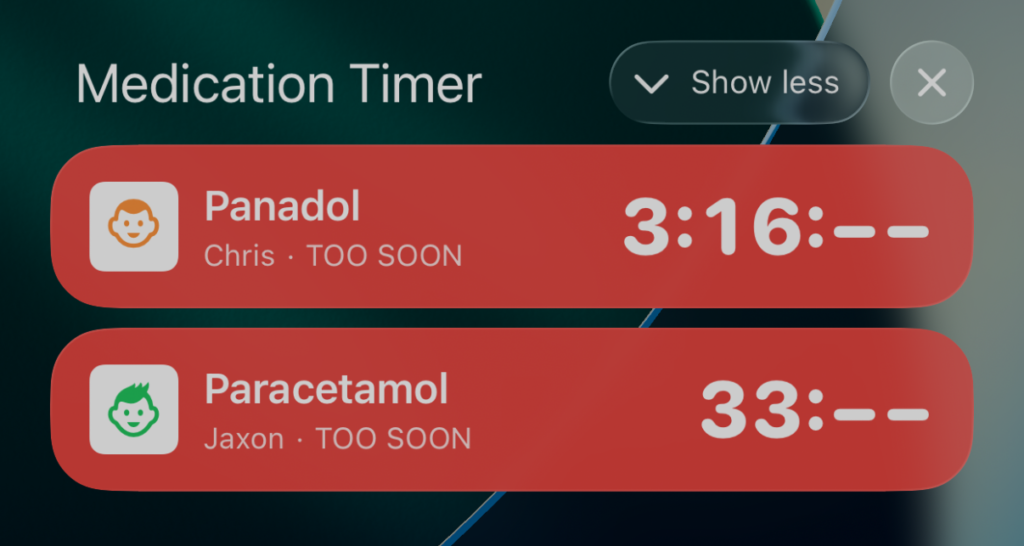
For a full-width banner while a timer runs, turn on Native active timers in app Settings. On supported iPhones the countdown also appears in the Dynamic Island. Turn Live Activities off under iOS Settings → Medication Timer if you prefer.
The banner starts on its own when a timer is active and the setting is on.
Android: lock screen and ongoing notification
On Android 12+, add Active Timers (Lock screen) from lock screen customization.
While a timer is still in the waiting phase, a persistent notification in the shade shows the live countdown (a bit like a media player) with Log dose when the timer turns green. It goes away when the timer is no longer waiting or you sign out.
Apple Watch
Note: This feature is experimental so please share any issues or feedback that you might have!
The iOS app now includes a watch companion. It is early days: expect rough edges, and keep your iPhone signed in nearby. The watch does not log in on its own.
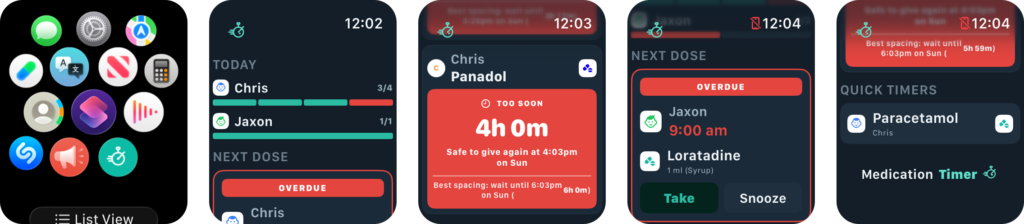
On the watch you can see Today progress, the next scheduled dose, active care (course doses, in-session timers, Add temp when temperature tracking is on), household timers outside care, and quick timer presets with Family Care.
You can Take, Snooze, or Log dose from the watch; add a temperature during care; dictate a care note with Siri on watchOS 10+ (“Add a care note in Medication Timer”); and use Taken, Snooze, or Re-administer on dose and timer notifications forwarded from the iPhone.
Everything saves through the phone, using the same rules as the app and lock-screen notifications. If the phone is out of reach, actions wait and send when it reconnects. The snapshot on your wrist can lag a few minutes behind the phone.
To install: sign in on iPhone, then open the Watch app → Medication Timer → install. Allow notifications on both devices. If a dose looks wrong on the watch, check the iPhone app.
Also in 2.5.2
- Settings → Lock screen on iOS for the Live Activity toggle
- More reliable notification scheduling on mobile
- Bug fixes across Today, Care, and sync






