
Version 2.3.4 has officially launched across iOS, Android, and the web app! This update is all about making sick days more manageable, bringing you comprehensive care session notes, hands-free voice logging via Siri and Google Assistant, smarter dose reminders, and major accessibility upgrades like a large interface mode.
Here is a full breakdown of what is new in the latest release.
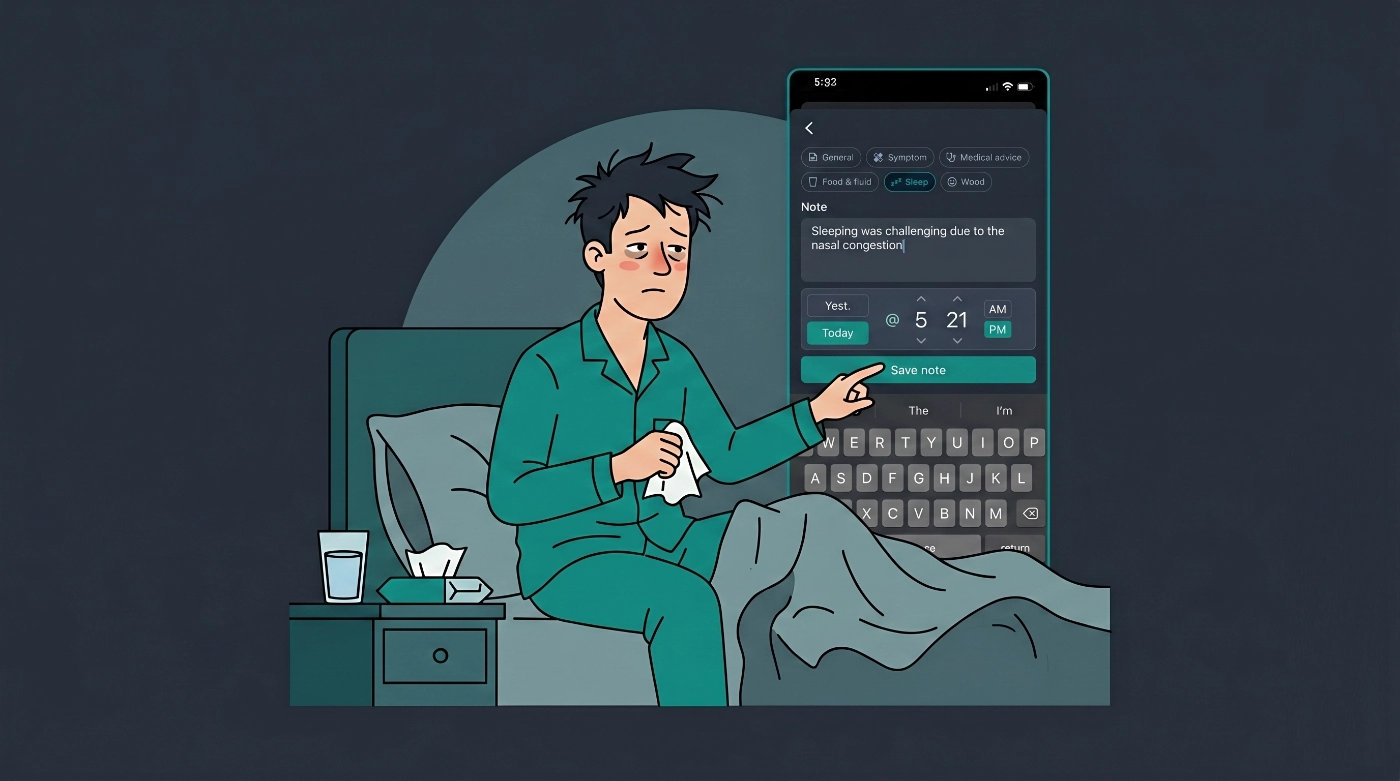
Comprehensive Care Session Notes
When a family member is unwell, a simple dose log or thermometer reading doesn't always paint the full picture. You might need to record instructions from a telehealth nurse, note that fluids were refused, or document disrupted sleep.
Our new Care Session Notes allow you to log all of this directly inside an active care session on the Care tab:
- Choose a category: Tap "Add note" and select General, Symptom, Medical advice, Food & fluid, Sleep, or Mood.
- Record details: Write up to 2,000 characters and log the exact time the observation occurred.
- Timeline integration: Notes will appear right in the session Activity timeline alongside doses and temperatures.
- Doctor-ready: If you are on the Family Care subscription, these notes are bundled into family reports, giving you a perfect plain-language summary for follow-up appointments.
Hands-Free Logging with Siri & Google Assistant
Caregiving often means you don't have a hand to spare—especially in the middle of the night. To solve this, temperature and dose logging by voice now natively support Siri and Google Assistant shortcuts. Once configured, you can record vital information entirely hands-free!
Need to log a care session note in the dark? You no longer have to type one-handed. Simply tap the microphone icon on the "Add note" screen to dictate your observation. The transcription will automatically append to any text already in the field.
Archive Past Care Sessions
Once a nasty bug has finally left your house, you shouldn't have to look at it anymore. We've added the ability to clean up your Care tab.
When you end a care session, just tap Archive session. The episode will immediately disappear from your active Care tab, while keeping the historical data safely stored in your family reports. If there's still an active short medication course running, the app will give you the option to keep the reminders going until the prescription runs out.
Smarter Dose Reminders
A scheduled dose only helps if you actually take it. We've upgraded our notification system to ensure nothing slips through the cracks:
- Primary Reminder: Fires at the originally scheduled dose time.
- 30-Minute Follow-Up: A robust second nudge that sounds if a dose is still unlogged half an hour later. On iOS, this utilizes "Critical Alerts" to break through silent modes. On Android, it uses a high-priority channel with a distinct tone.
- Quick Actions: Long-press an iOS reminder from your lock screen to hit "Taken" (which logs everything in that time slot instantly), "Snooze 10m", or "Open".
You can customize all of this—including setting up "Quiet hours" to postpone reminders—under Settings → Notifications.
Major Accessibility Updates
We want Medication Timer to be easy to read for everyone, in any lighting condition. Version 2.3.4 introduces:
- Light/Dark Mode: Reintroduced to our mobile apps.
- High Contrast Mode: Added to mobile to drastically improve readability.
- Large Interface Mode: Turning this on magnifies text, buttons, icons, and spacing app-wide. (It scales the UI by roughly 38% on phones and 55% on tablets).
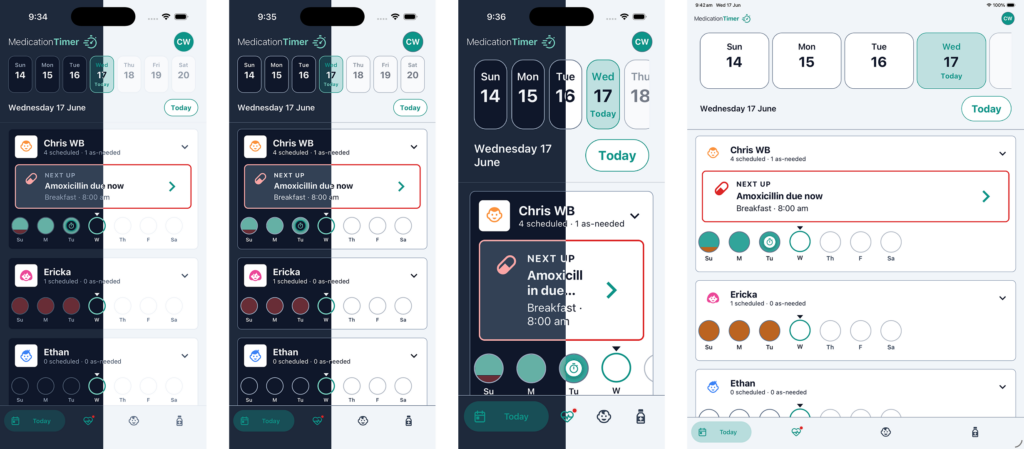
These preferences sync directly to your account. You can even toggle them on right from the sign-in/register screen!
Additional Polish & Fixes
- Today tab improvements: Family cards now reflow beautifully when multiple members have doses or care banners scheduled on the same day.
- Better responsiveness: Layout and theming fixes across different screen sizes.
- In-app feedback: A simple, emoji-based feedback prompt has been added to gauge your experience before optional App Store/Google Play reviews.
- Improved scheduling reliability to keep reminders intact after an app update.
If you're already logged in you can adjust these settings by pressing;
Profile > Settings > Display & navigation > Display preferences
Update Today!
Medication Timer 2.3.4 is currently rolling out globally. Update via the App Store or Google Play, or simply refresh your browser if you are using the web app.
Disclaimer: Medication Timer is for household record-keeping and is not medical advice, diagnosis, or treatment. Always seek professional care if symptoms worsen and follow your clinician’s or pharmacist’s instructions.






